CVE-2023-27350: Authentication Bypass & RCE in PaperCut MF/NG
Affected versions: PaperCut NG 22.0.5 (Build 63914) · Status: Patched in 22.1.1
CVE Details
- CVE: CVE-2023-27350
- Description: This vulnerability allows remote attackers to bypass authentication on affected installations of PaperCut NG 22.0.5. Authentication is not required to exploit this vulnerability. The specific flaw exists within the
SetupCompletedclass. The issue results from improper access control. An attacker can leverage this vulnerability to bypass authentication and execute arbitrary code in the context of SYSTEM. - Affected Vendors: PaperCut
- Affected Products & version: PaperCut NG 22.0.5

PaperCut is a common printing management software.
Building The Lab
First, we need to download PaperCut product, follow the installation process:
Go to localhost with port 9191 which is the default port for PaperCut: http://localhost:9191/
Then go through setup:
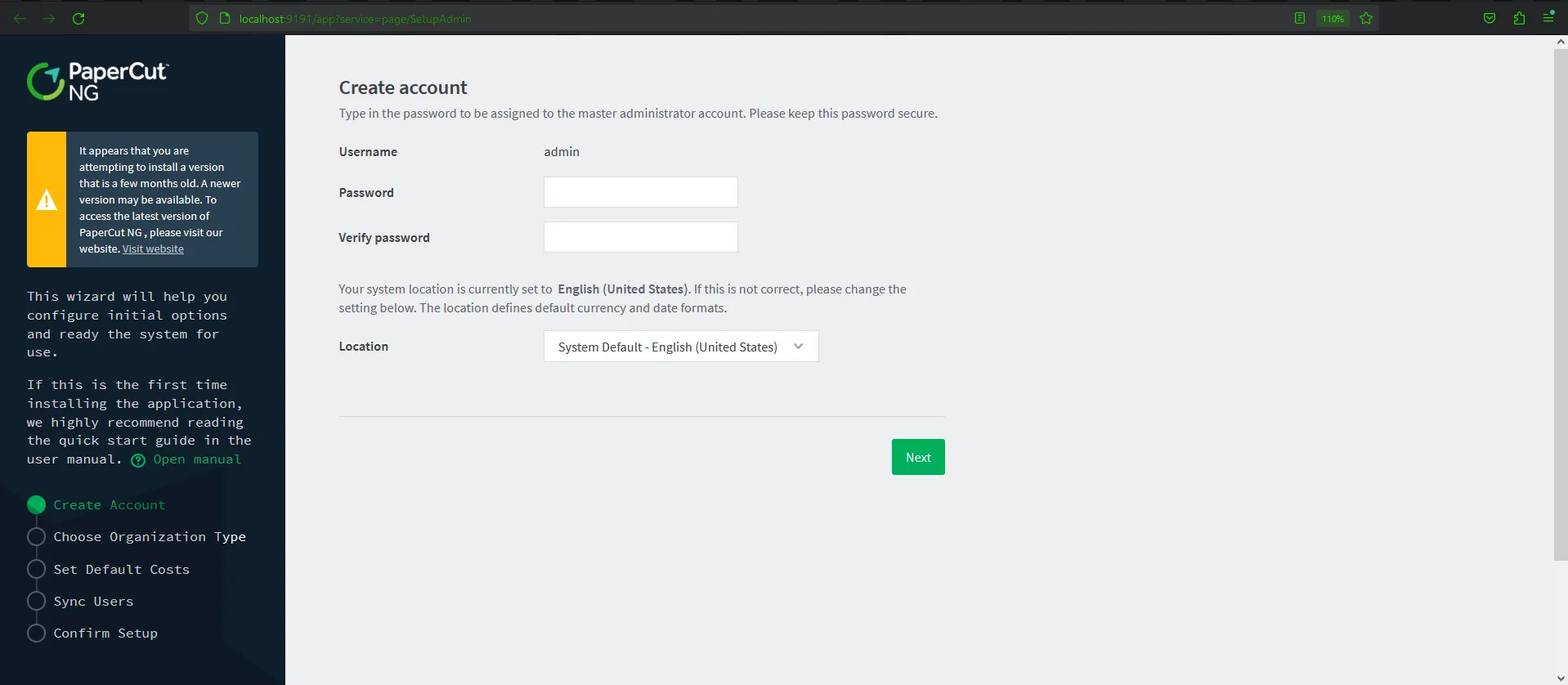
- Create Account — set up the username and password
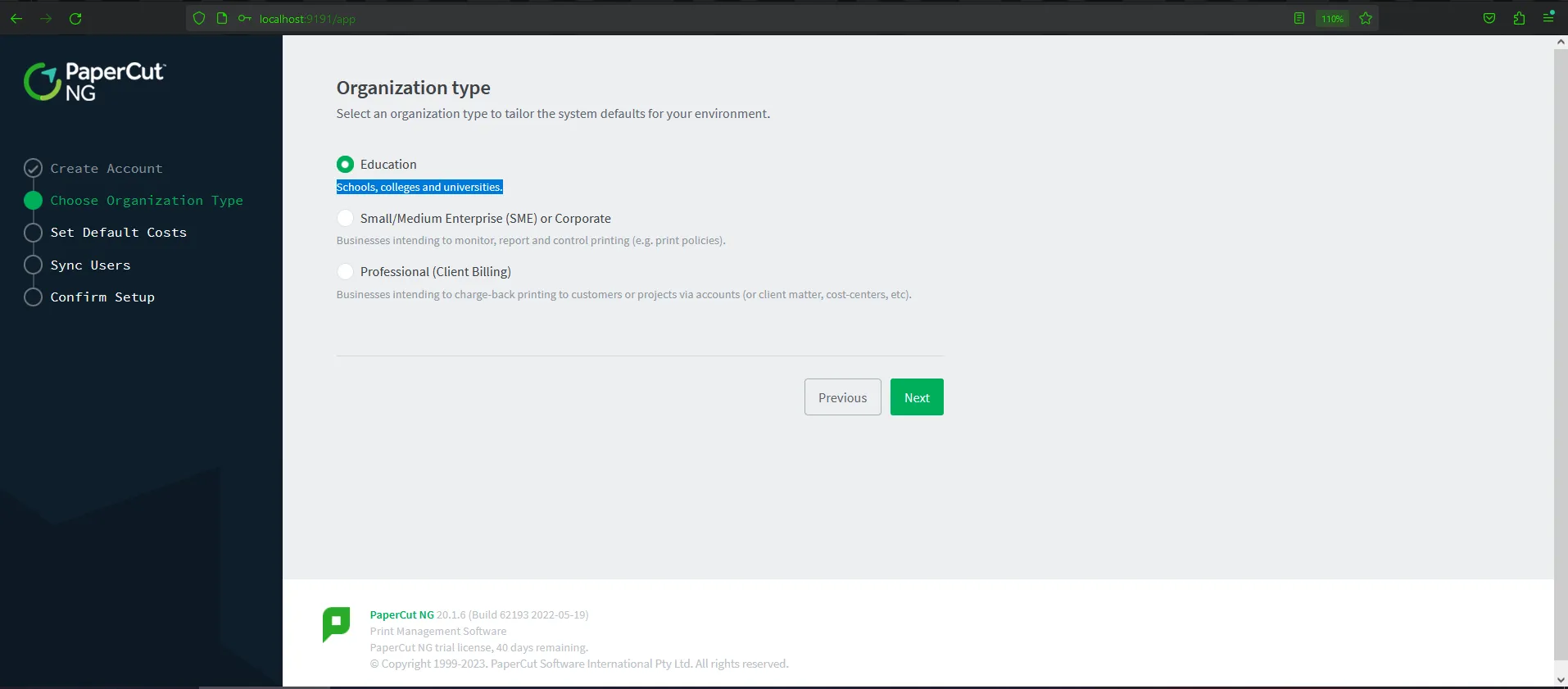
- Choose Organization — the type is not required or important in this case
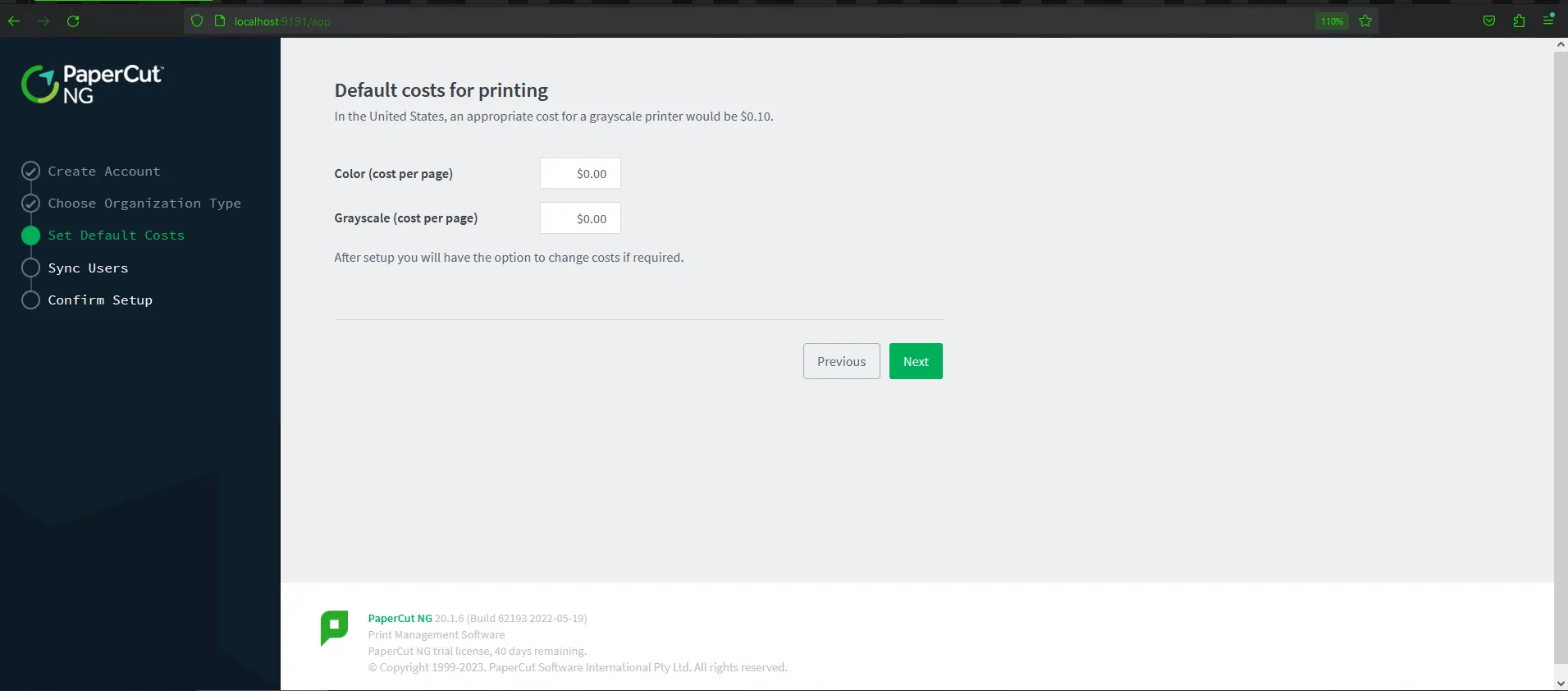
- Set Default Costs → skip by clicking next
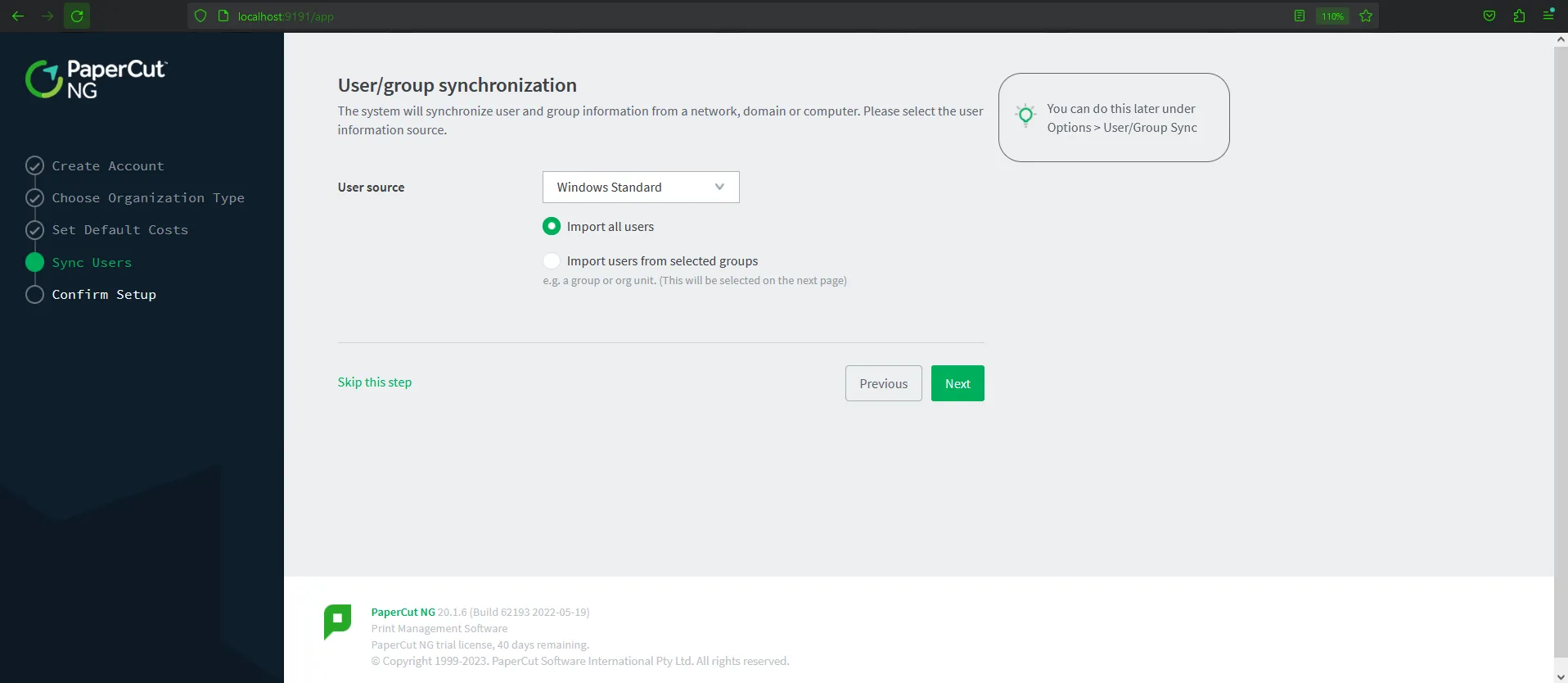
- Sync Users — same as Organization type, skip
- Confirm Setup — submit the form by clicking Confirm
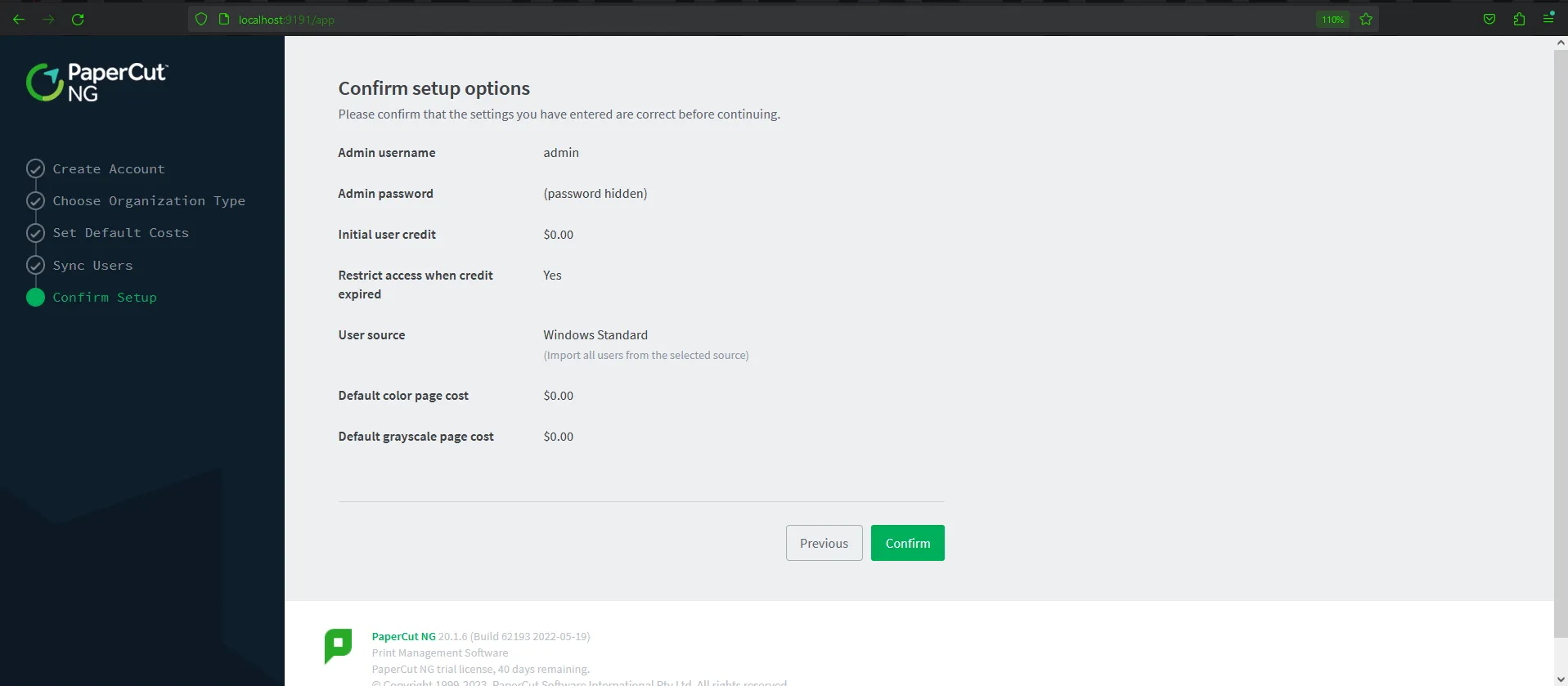
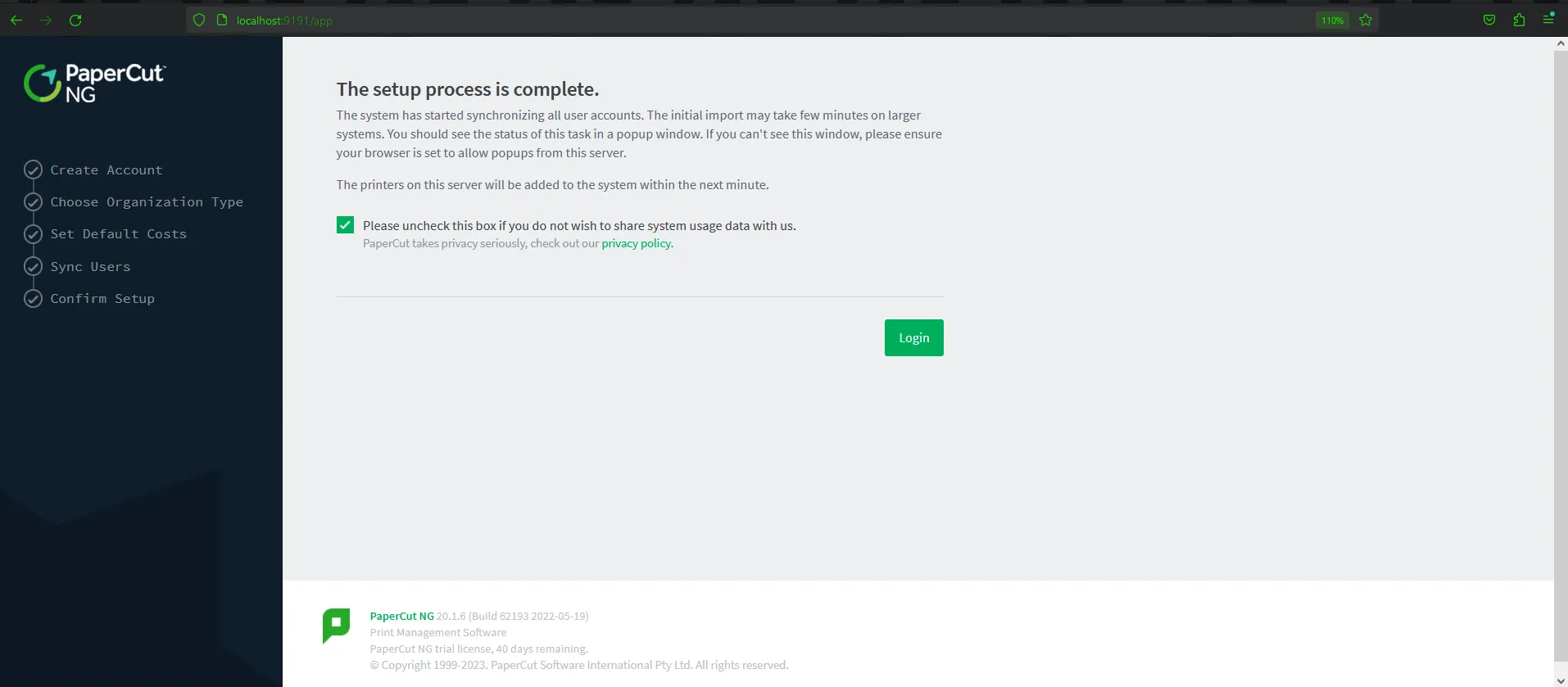
After submitting the information, the app will redirect to the dashboard automatically. Keep this step in mind — we will mention this later.
Background Story
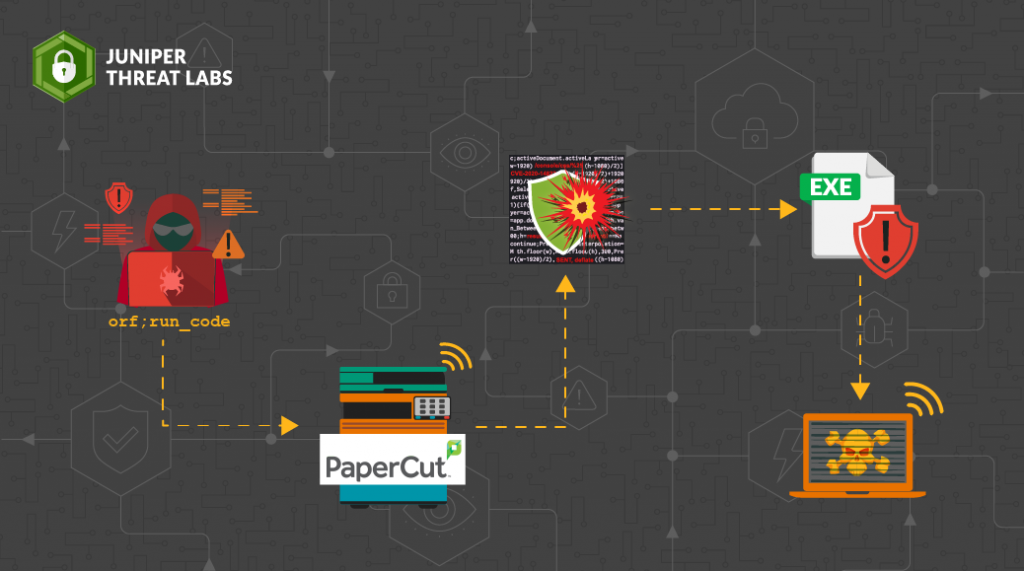
I was reading some blogs to gain a better understanding of how this bypass is done, and I came across many blogs that focus on Remote Code Execution (RCE) which allows the execution of pure Java code by the printer scripting feature. They fail to explain why we are able to bypass authentication by visiting this endpoint. Some of them made me even more confused especially when it comes to the creation or setting of this session.
So in this analysis, we are delving deep into the Authentication Bypass in PaperCut software.
Reproduce The Vulnerability
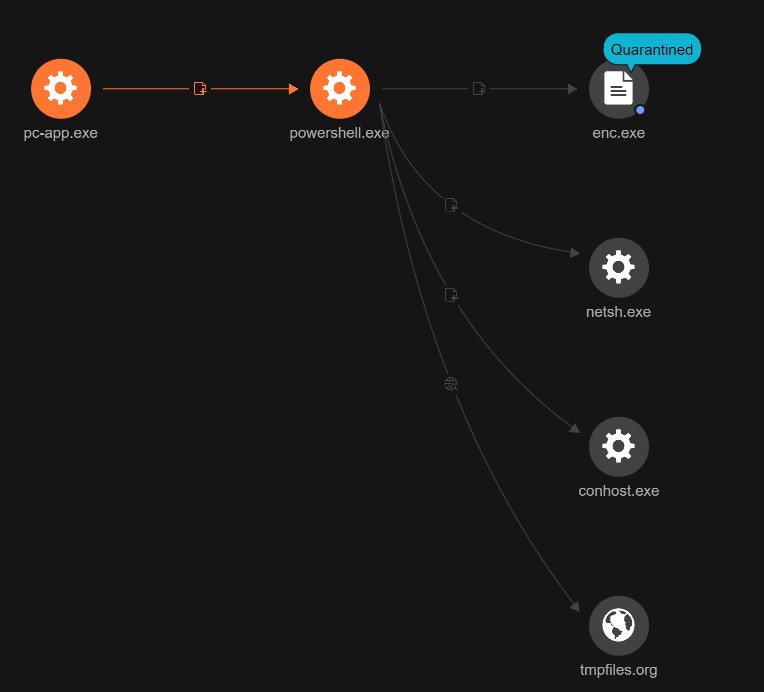
First, let’s reproduce the vulnerability to gain an overview of the interaction with the application and the exploitation. The exploit of the authentication bypass was found in this repo.
After running the exploit and giving it the required input (IP address), it requires visiting http://localhost:9191/app?service=page/SetupCompleted first before going to the dashboard, as shown in the exploitation.
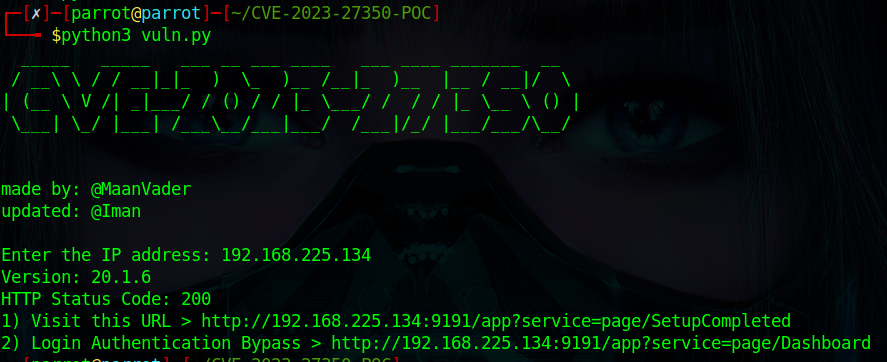
After visiting http://localhost:9191/app?service=page/SetupCompleted, we were able to log in without the credentials of admin. It seems like there is no validation for user authentication when visiting SetupCompleted. This endpoint was responsible for setting up the application and submitting the installation information — which was mentioned in the installation process.

Static Analysis
The vulnerability was clear in the CVE Description which says the specific flaw is in the SetupCompleted class, which is responsible for this endpoint. By reviewing this class using the IDE, found in the lib that exists at C:\Program Files\PaperCut NG\server\lib\pcng-server-20.1.6.jar, loading the file into the tool, this is the code:
public void formSubmit(IRequestCycle cycle) {
    SetupData setupData = this.getSetupData();
    this.getAnalyticsConfigurationService().setEnabled(this.isAnalyticsEnabled());
    this.getAnalyticsConfigurationService().adminNotified();
    this.clearSetupData();
    Home homePage = (Home)cycle.getPage("Home");
    homePage.setJavaScriptEnabled(this.isJavaScriptEnabled());
    homePage.performLogin(setupData.getAdminUserName(), LoginType.Admin, false);
}
Basically, the formSubmit method is responsible for handling form submissions in the application after the installation process. It retrieves the required setup data from the installation process and then proceeds to the login process. This is done by calling the performLogin method and passing the extracted setup data with parameters such as the login type — Admin in this case.
By intercepting the request in Burp, the cookies and session are set. As it appears, the cookie header has been set, and the user is redirected to the User Dashboard.
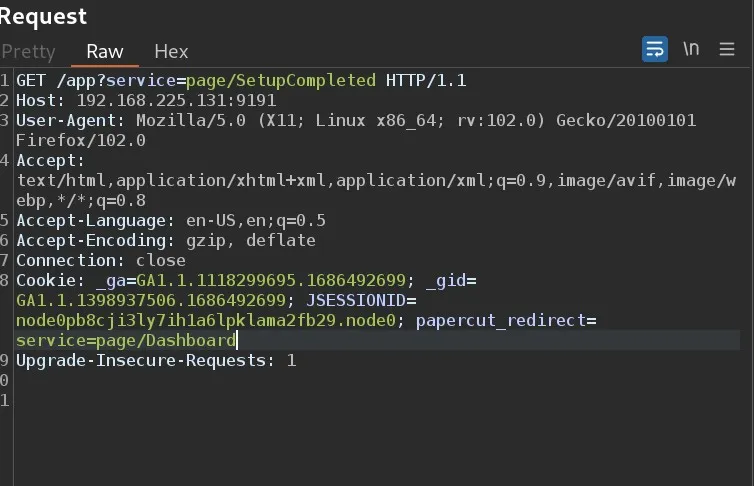
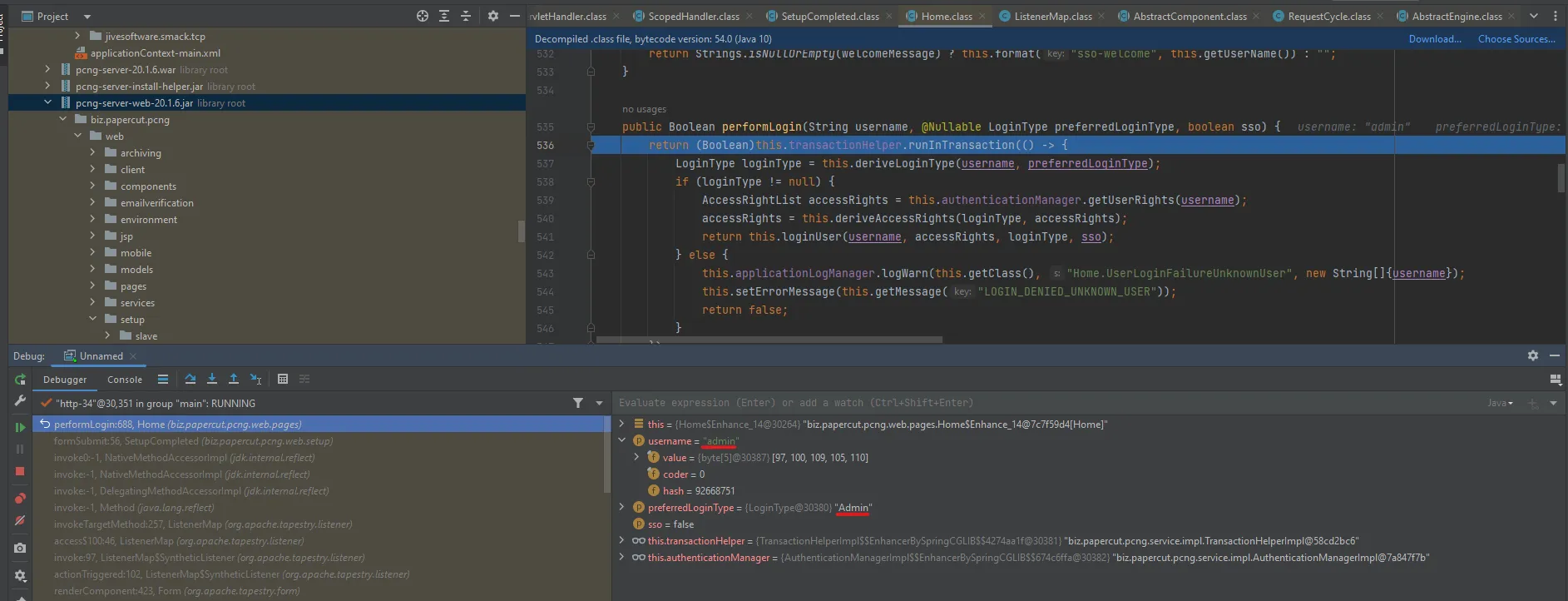
By taking a look at the performLogin method to understand formSubmit behavior more:
public Boolean performLogin(String username, @Nullable LoginType preferredLoginType, boolean sso) {
    return (Boolean)this.transactionHelper.runInTransaction(() -> {
        LoginType loginType = this.deriveLoginType(username, preferredLoginType);
        if (loginType != null) {
            AccessRightList accessRights = this.authenticationManager.getUserRights(username);
            accessRights = this.deriveAccessRights(loginType, accessRights);
            return this.loginUser(username, accessRights, loginType, sso);
        } else {
            this.applicationLogManager.logWarn(this.getClass(), "Home.UserLoginFailureUnknownUser",
                new String[]{username});
            this.setErrorMessage(this.getMessage("LOGIN_DENIED_UNKNOWN_USER"));
            return false;
        }
    });
}
The performLogin method handles the login process and authorization by checking access rights using authenticationManager.getUserRights. In this flow, the formSubmit method is used to perform the login without validating the user session, leading to a vulnerability known as session puzzling — a logic vulnerability.
This vulnerability occurs when session and authentication functions are used for multiple purposes. By exploiting this flaw, any user can access SetupCompleted, login using performLogin with administrative rights, as shown in the reproduce section.
Dynamic Analysis
It’s not enough to analyze the code statically. Let’s examine the code’s behavior at runtime using the debugger.
To debug the software, we need to add the debugging option in Java. So, when we go to C:\Program Files\PaperCut NG\server\bin\ we can see the start-server.bat file.
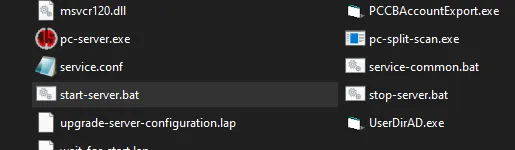
When we open it, we can see that it’s calling another batch file named service-common.bat.
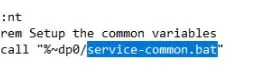
When we open it, we can see it takes configurations from service.conf.

Here when reading service.conf, we can see the JAVA options. So let’s add a Remote debugging option on port 5005 to set up the Java IDE with it.
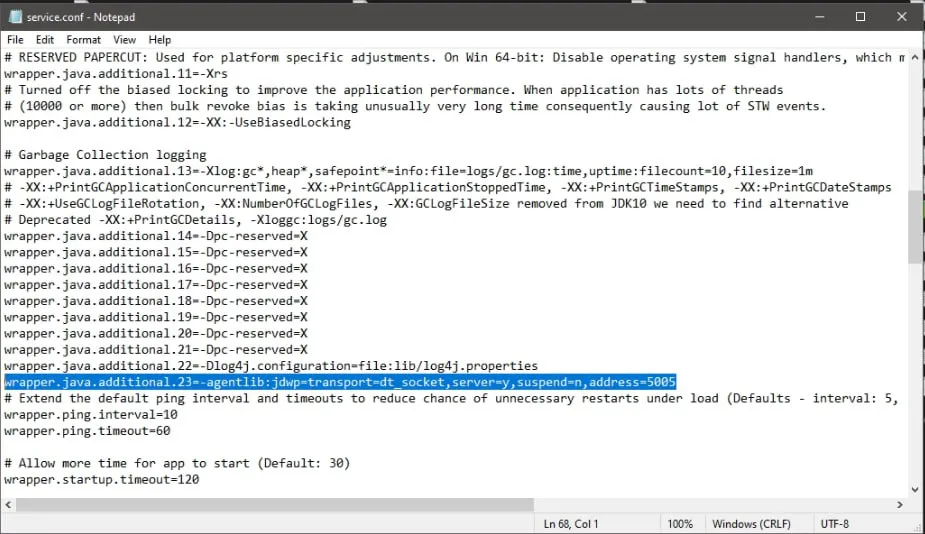
Now we need to restart the server. I found stop-server.bat and start-server.bat files. Run PowerShell as Administrator:
./stop-server.bat   # to stop the server
.\start-server.bat  # to start it again
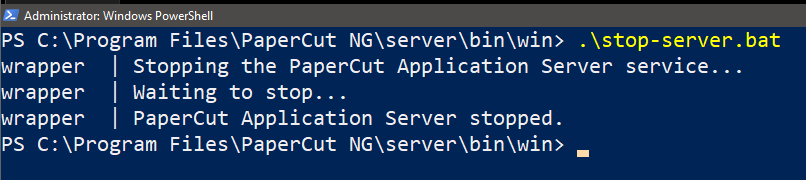
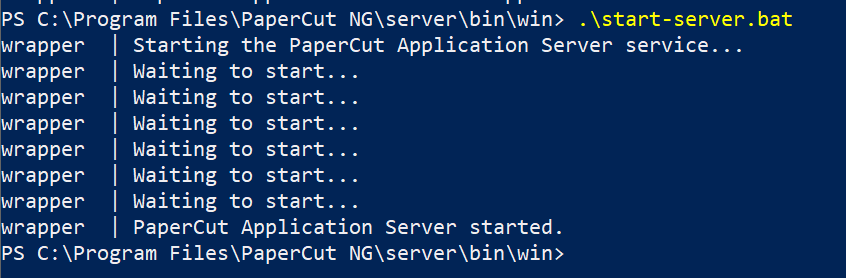
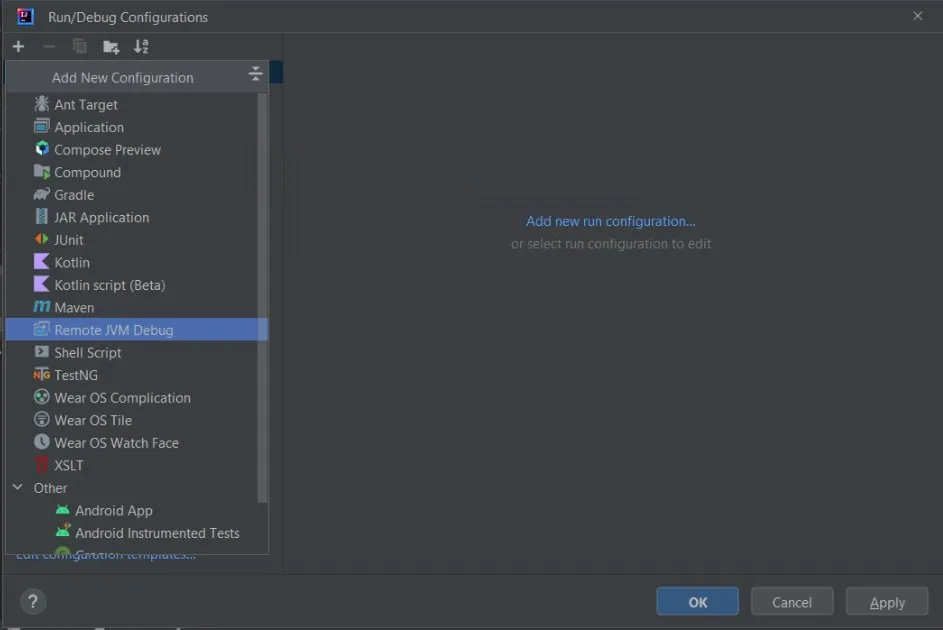
Now it’s time to set up the application with the libraries to start debugging. First go to Edit Configuration in the toolbar and add Remote JVM Debug.
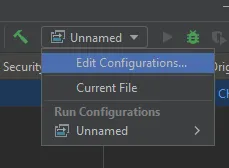
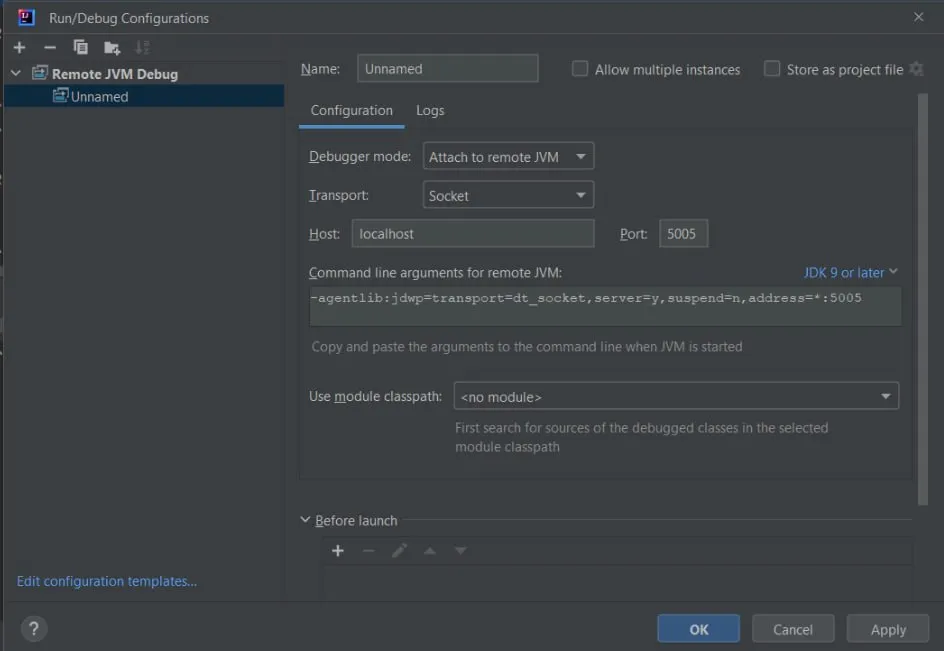
Set up the configuration to listen on localhost on port 5005 and click Apply.
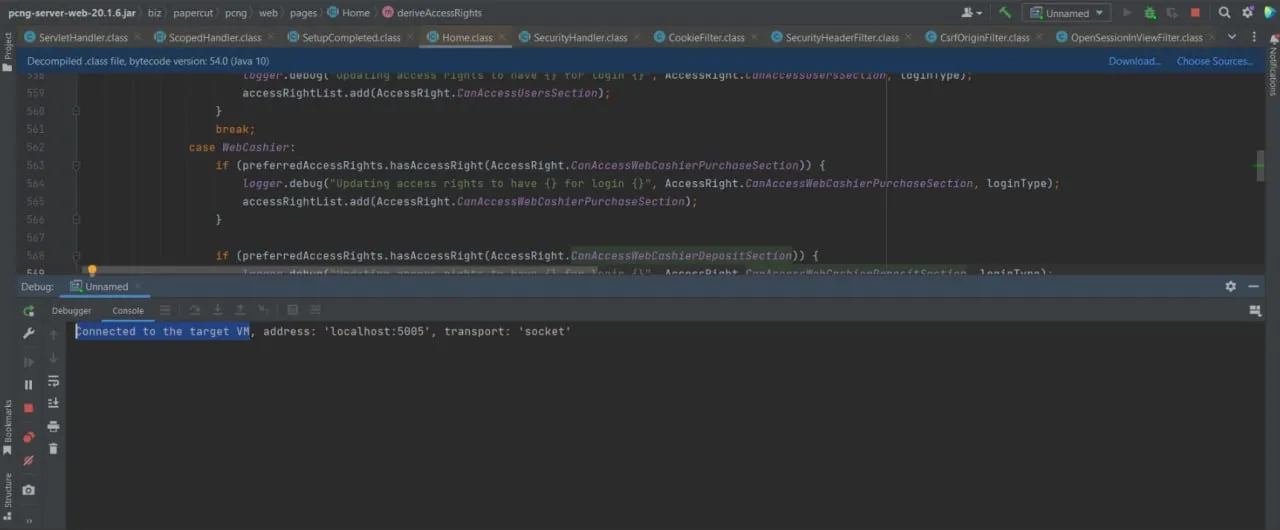
Now the debugger is connected.
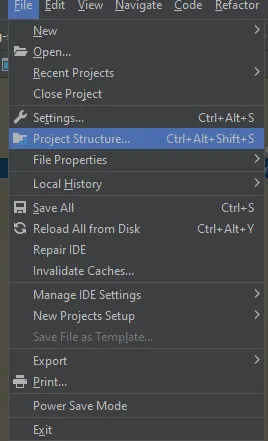
We need to add the files and libraries to decompile and start debugging. Go to Project Structure in the tools bar, go to Libraries and add new project libraries Java.
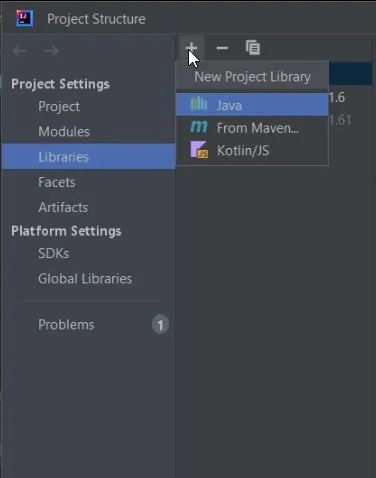
Add the libraries of the server of PaperCut at path C:\Program Files\PaperCut NG\server\lib and click OK to load the files.
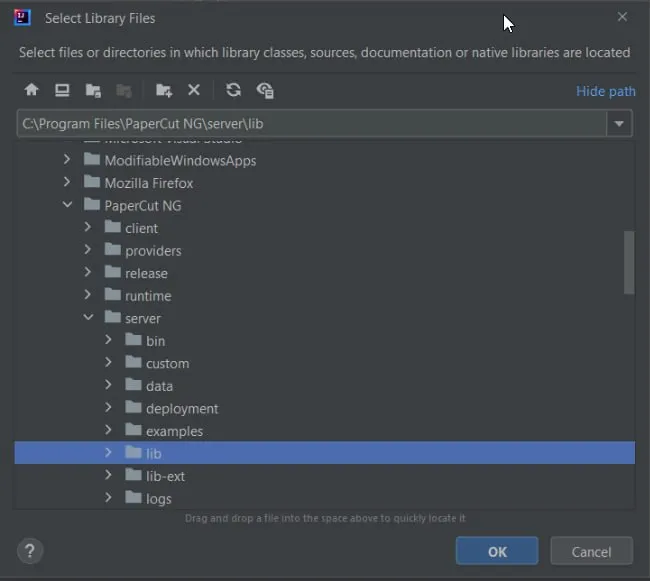
Now the JAR files are decompiled and everything is ready to start debugging.
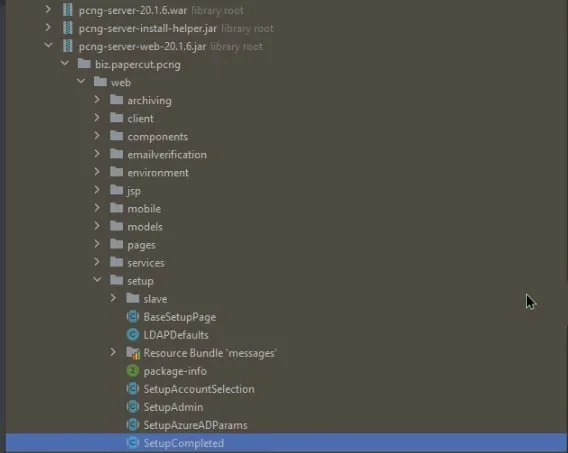
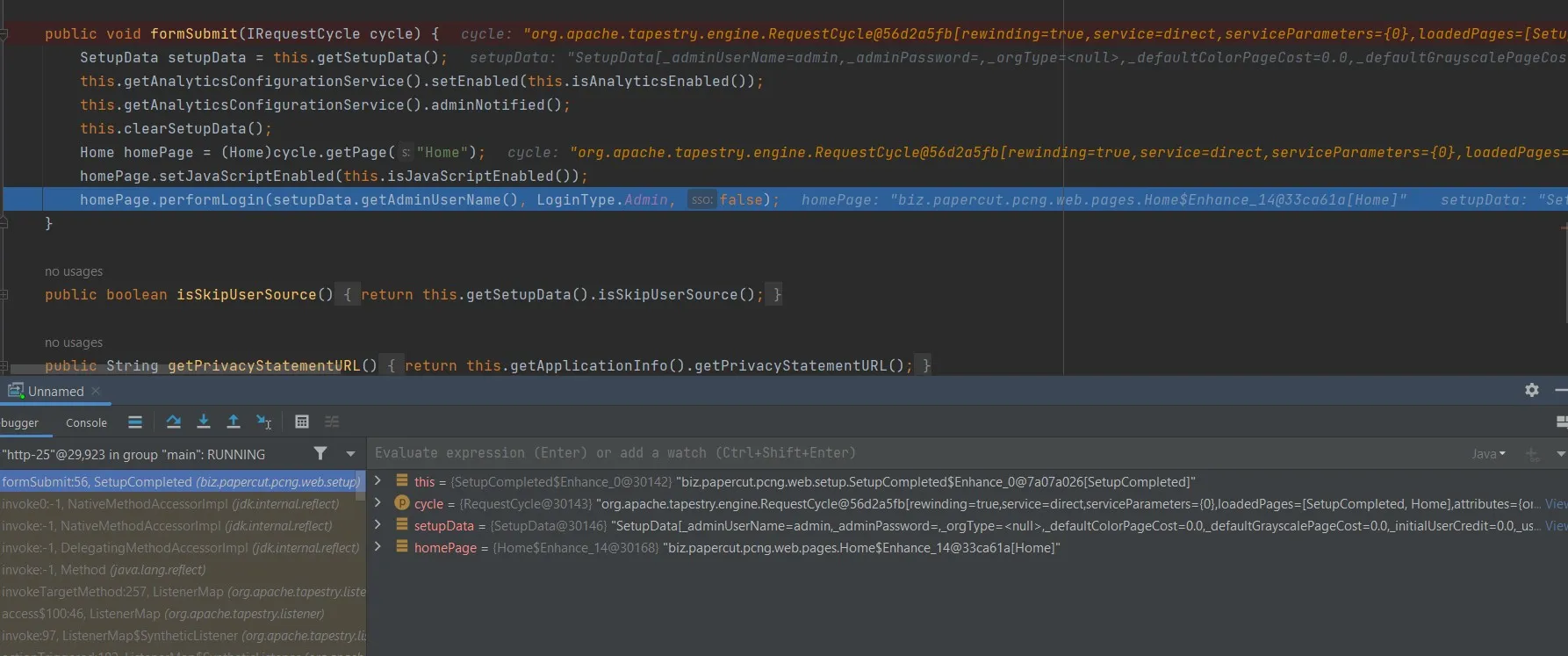
Set the breakpoint at the SubmitForm method at biz/papercut/pcng/web/setup/SetupCompleted.class in pcng-server-web-20.1.6.jar at the loaded library we added before. Begin with it and figure out how the session is generated.
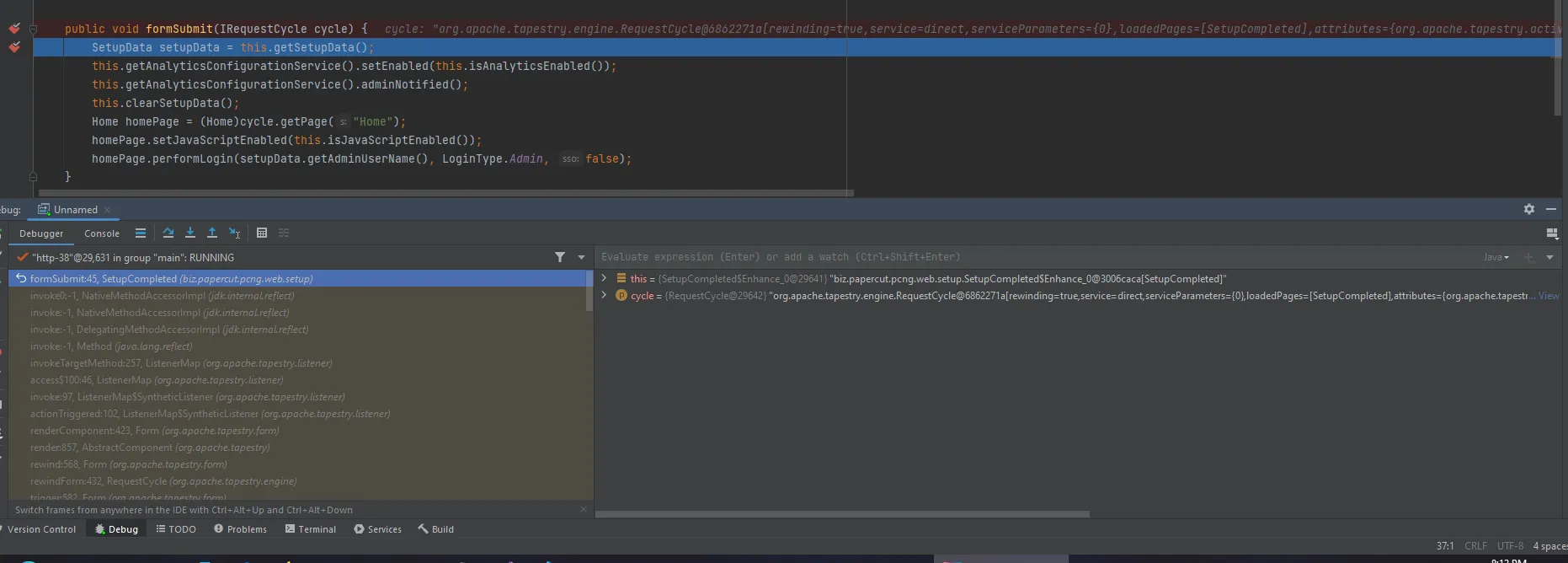
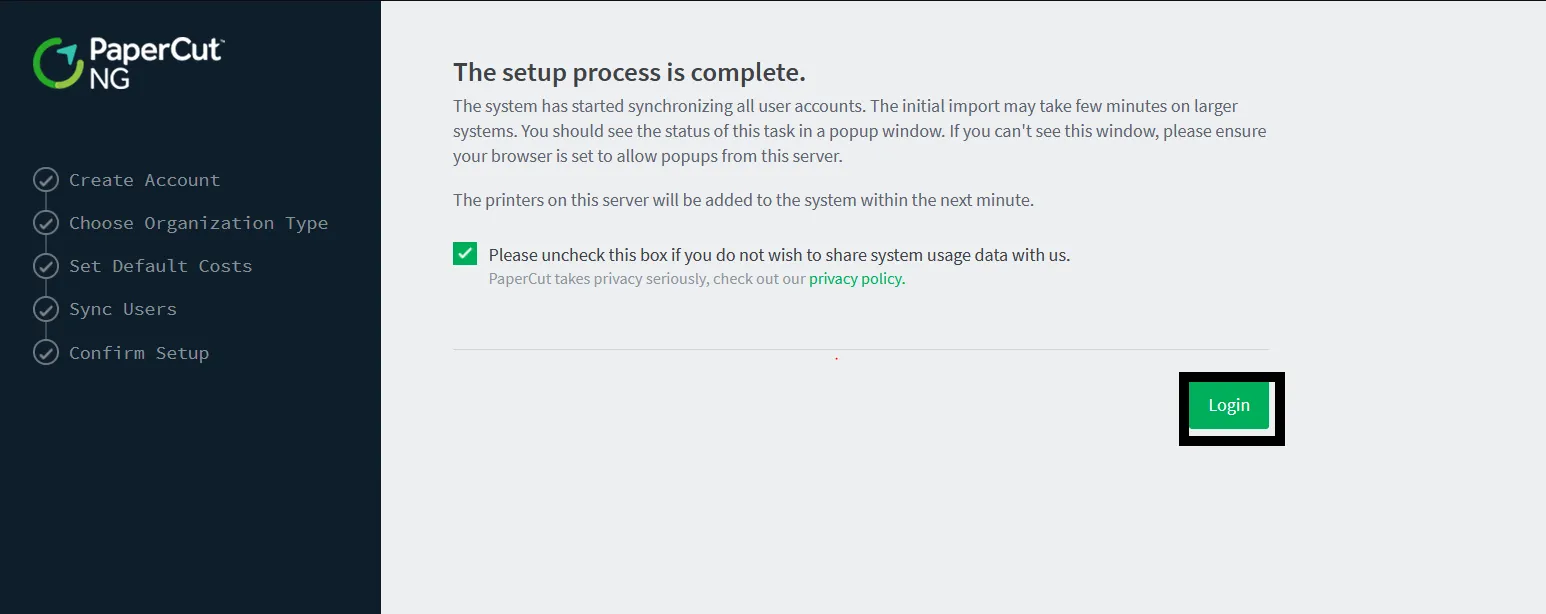
By clicking on the Login Button to see it in action and start debugging:
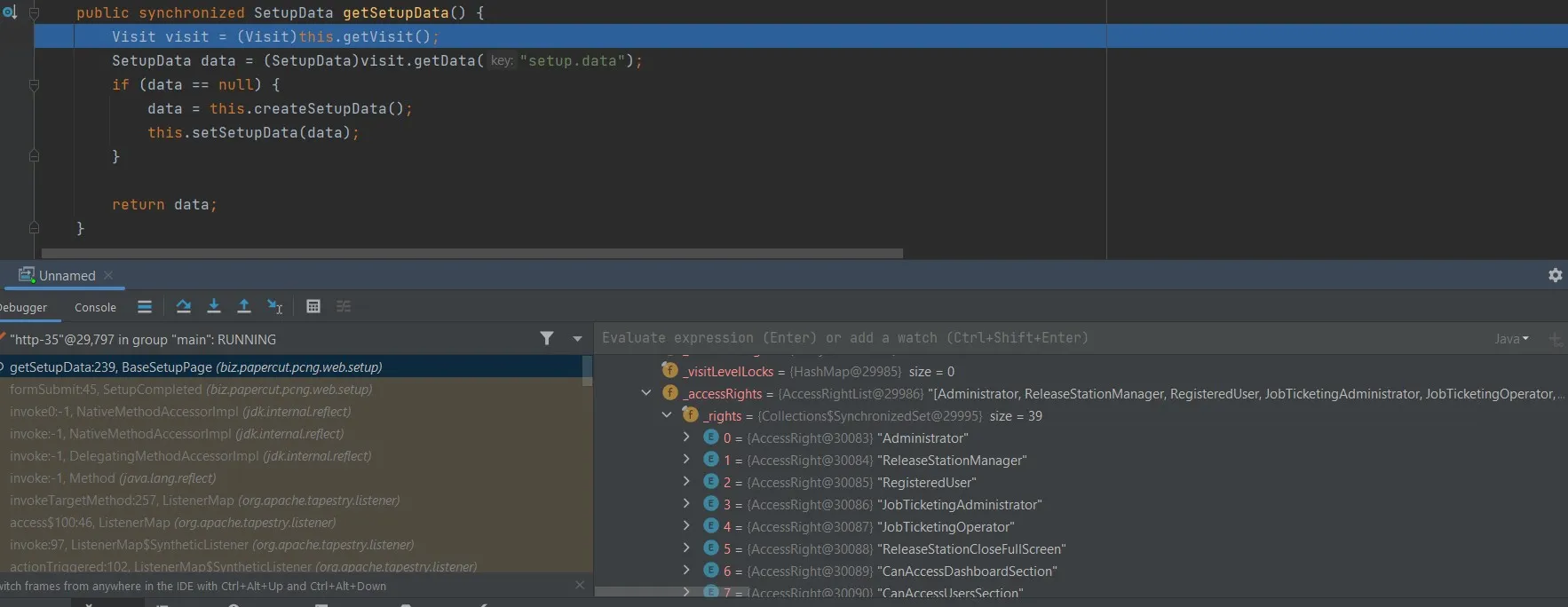
By stepping in, the first method called in SubmitForm was getSetupData — to retrieve the setup installation information data and save it into setup.data file and check if the data is null or not.
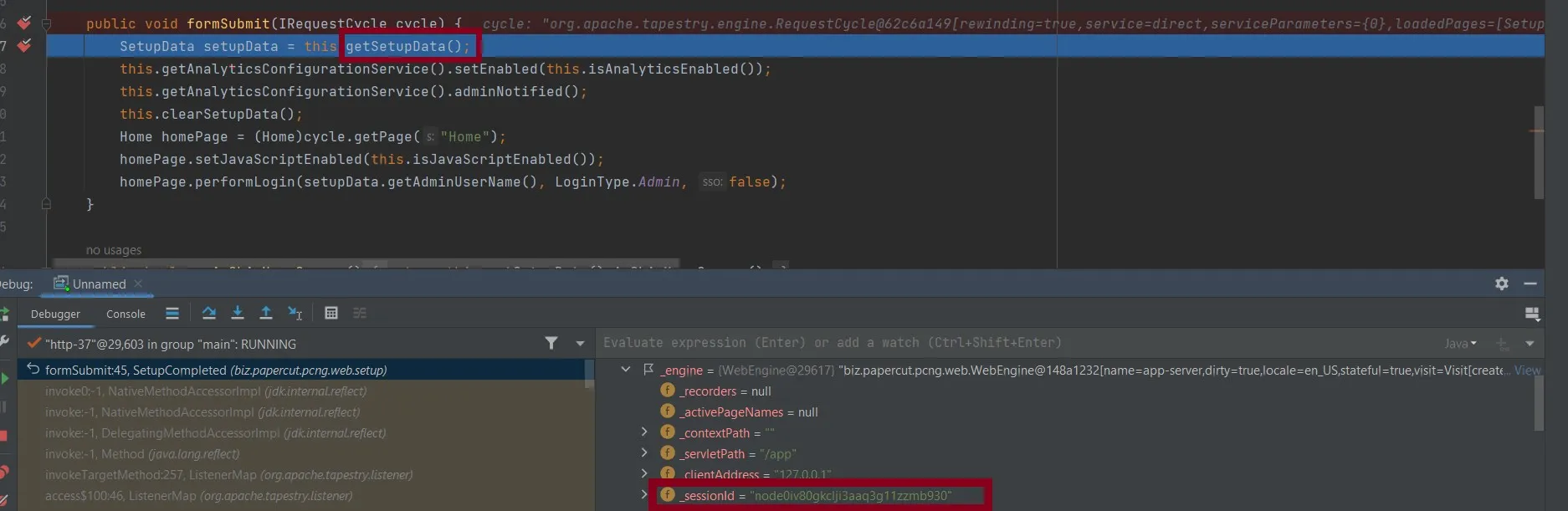
While stepping into this method, I noticed that the session ID value is the same as the one found in the Burp Suite request, as JSESSIONID — which means the session was obtained by invoking the getSetupData method.
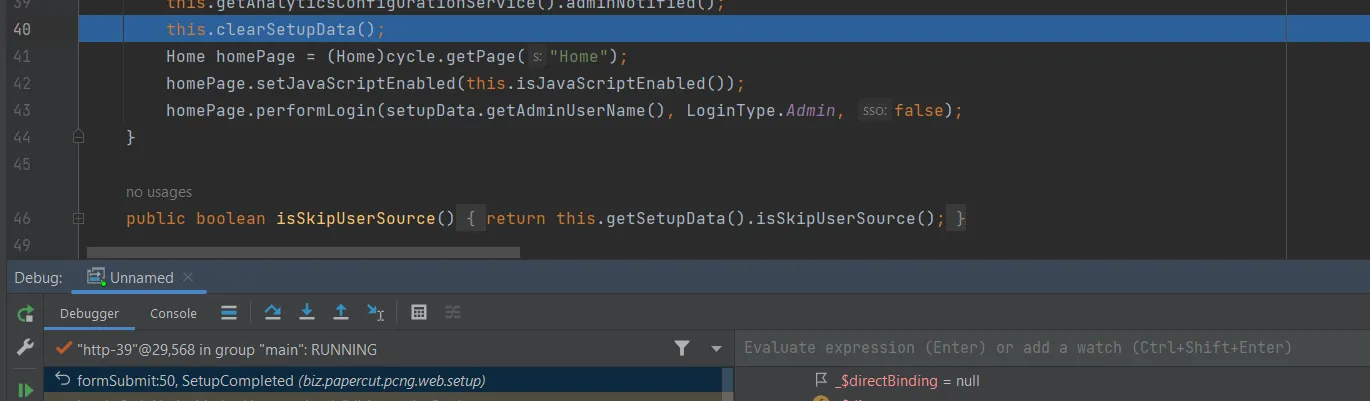
Then by skipping the unimportant steps, the method uses this.clearSetupData() to clear the data from setup.data and handle it if the key was null.
The last line of SubmitForm method was calling PerformLogin — which is the method handling the login process. As it appears in the provided picture, the method grants access rights based on the username provided in the SubmitForm method — which was admin — and preferredLoginType has been set to Admin, which was obtained from SubmitForm and passed as arguments to the method, meaning the session possesses full access privileges to the dashboard.
Patch Diffing
Before the patch:
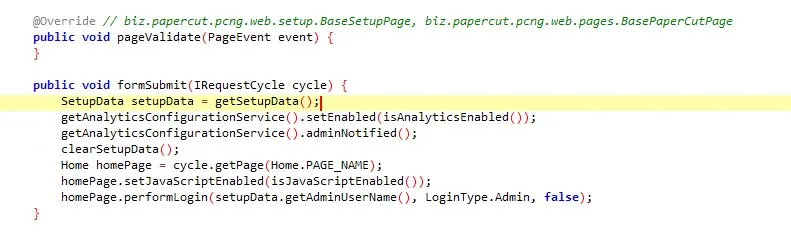
SetupData setupData = this.getSetupData();
After the patch:
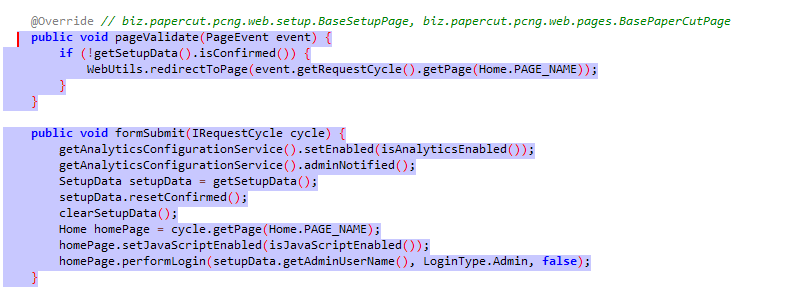
The patch replaced SetupData setupData = this.getSetupData() — which was used to retrieve the setup data including Admin username — with a pageValidate method:
public void pageValidate(PageEvent event) {
    if (!getSetupData().isConfirmed()) {
        WebUtils.redirectToPage(event.getRequestCycle().getPage(Home.PAGE_NAME));
    }
}
The app uses pageValidate to validate if the user who visited the SetupCompleted page has been processed through installation and confirmed the first step or not by isConfirmed. If confirmed, the method completes and redirects the request to Dashboard through redirectToPage. This prevents the session puzzling vulnerability.
Mitigation
Update PaperCut NG to the latest version 22.1.1.
Final Thoughts
Session puzzling persists as a web vulnerability, where the reuse of session code for different purposes results in bypassing authentication and unauthorized manipulation. Our thorough analysis and debugging of the PaperCut code uncovered these overlooked vulnerabilities — and now we are aware of each of these vulnerabilities.